Email Invoice Extraction: The Definitive Guide
A protocol-level, vendor-neutral view of email invoice extraction. IMAP, OAuth, inbound parsing, custom aliases, and the compliance angle for audit-grade archives.

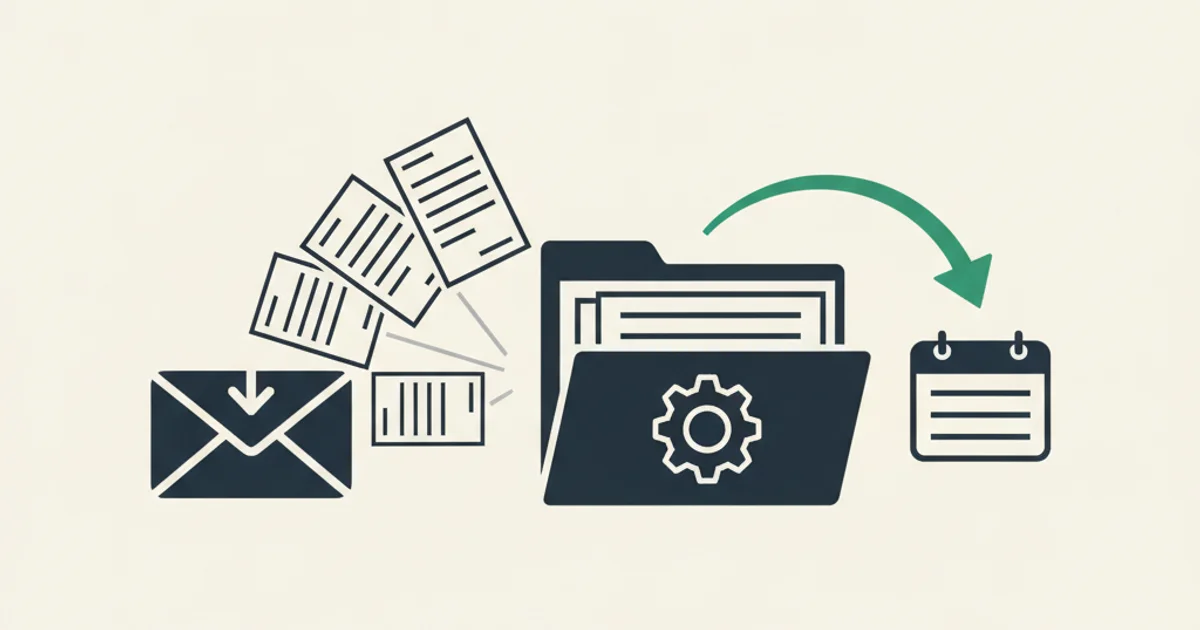
There is a moment that happens in almost every finance-operations review. Someone asks, "Where is our master copy of every invoice we have ever received?" The answer is usually some combination of "in the founder's Gmail," "in the shared accounting@ mailbox," "in QuickBooks, maybe," and "I think accounting downloaded them last quarter." The real answer is that no single system holds a complete, queryable, audit-defensible record. Invoices arrived through email, and email was never designed to be a financial archive.
Email invoice extraction is the discipline of turning that scattered inbox state into structured, retrievable, compliance-ready records. It sits at the intersection of mail protocols, attachment handling, machine learning, storage architecture, and jurisdiction-specific record-keeping law. This guide is the protocol-level, vendor-agnostic view. Not Gmail specifics. Not Outlook specifics. The shape of the problem, the shape of the solutions, and the architectural decisions that separate a weekend script from a system an auditor will sign off on.
Readers who want the Gmail-specific setup should start with our Gmail invoice extraction complete guide. This piece is for architects, developers, and finance leaders who are deciding whether to build, buy, or hybrid their way through the problem.
Why email became the universal invoice transport
Before 2005, physical mail and fax were the defaults for B2B invoice delivery. EDI (Electronic Data Interchange) dominated large enterprise flows but was too expensive for small vendors. Between 2008 and 2020, email quietly became the universal fallback. It is free at the margin, every vendor and every buyer already has it, and no billing platform has ever had to negotiate a delivery protocol with a new customer. "We will email you the invoice" is a complete transport specification.
The trade-off is that email was built for person-to-person communication, not for document exchange. Every invoice workflow layered on top of email is a workaround for that original purpose. Filters pretend to be filing systems. Folders pretend to be schemas. Attachments pretend to be structured records. The extraction problem is the gap between what email actually delivers and what accounting, auditing, and reconciliation actually need.
The scale of the mismatch is large. A mid-sized business with 200 active vendors receives roughly 2,400 invoices per year through email. A finance team with any two of "GAAP reporting," "VAT reclaim," or "multi-entity bookkeeping" in its mandate needs every one of those 2,400 as a structured record, not as a thread in someone's inbox. That gap is what email invoice extraction exists to close.
Three retrieval protocols compared: IMAP, Gmail API, Microsoft Graph
There are four ways an extraction platform can get mail out of a mailbox. Each has a protocol, a permissions model, and a characteristic failure mode. Which one fits depends on the mailbox type, the compliance posture, and whether you control the MX records.
IMAP: the universal fallback
IMAP (Internet Message Access Protocol) has been the standard remote-mailbox protocol since RFC 3501 was ratified in 2003. It supports persistent connections, folder navigation, server-side search, and the IDLE command for push-style notification of new messages. Every hosted mailbox worth supporting speaks IMAP.
For invoice extraction, IMAP is the protocol of last resort and the protocol of first resort, depending on the mailbox. Self-hosted mail servers (Postfix plus Dovecot, Exim, old-school Exchange on-prem), regional providers without OAuth (Zoho on non-standard plans, Fastmail, most ISP mailboxes), and anywhere a user still authenticates with a password all require IMAP. The extractor connects with the mailbox password or app-specific password, runs a UID-based pagination of messages, and downloads attachments.
The downside is the credential model. Storing a mailbox password, even encrypted at rest in a secrets vault, carries meaningfully higher risk than storing an OAuth refresh token. Revoking access means changing the password, which breaks every other client the user has configured. Rate limits are enforced per connection and vary by provider. A serious extractor treats IMAP as a compatibility layer and uses it only where OAuth is unavailable.
The connection management layer also has real complexity. Gmail allows roughly 15 simultaneous IMAP connections per account and throttles above 2,500 MB of IMAP data per day. Microsoft 365 enforces similar session caps. A well-behaved extractor uses IDLE rather than polling, paginates UID FETCH results to keep response sizes bounded, and backs off on 5xx server errors with exponential retry. Plan substantial engineering time for this if you are building it yourself.
Gmail API: History API and Pub/Sub push
Google Workspace offers the Gmail API with a gmail.readonly scope that gives an extraction platform full read access to messages, threads, and attachments without any write capability. The user authenticates once through OAuth, the extractor receives an access token plus a refresh token, and no password crosses the wire. The user can revoke access from the Google admin console at any time with a clear audit trail.
Beyond the cleaner credential model, the Gmail API exposes two features that IMAP does not. The History API delivers a stream of change events since a given history ID, so the extractor learns about new messages without polling. Google Pub/Sub carries those notifications in real time, so latency from message arrival to extraction processing is under five seconds. On a mailbox with tens of thousands of messages, this eliminates the polling loop entirely.
The initial historical sweep uses the users.messages.list method with whatever query filter matches your capture criteria, paginating through up to 500 message IDs per request using the pageToken field. Message bodies and attachment metadata arrive through users.messages.get. Attachment content requires a separate users.messages.attachments.get call per attachment, which means large historical backfills need careful per-user quota management. Google enforces a 250-quota-unit daily limit per user, and attachment downloads cost 5 units each.
Microsoft Graph: Delta Query
Microsoft 365 uses the Graph API with Mail.Read and offline_access scopes for invoice extraction. The permission model is functionally identical to Gmail's: read-only, token-based, revocable. The extractor authenticates via Azure app registration with either delegated (user consent) or application (admin consent) permissions, depending on whether it reads one inbox or a tenant-wide set.
The incremental sync primitive on Microsoft Graph is Delta Query. Instead of a history ID, the Graph API issues a deltaToken after an initial sync, and subsequent requests with that token return only changes since the last call. The token persists across sessions and is valid for at least seven days. Combined with subscription notifications (Graph webhooks that fire on created events), the extractor achieves similar real-time behavior to Gmail's Pub/Sub setup.
One practical difference: Microsoft Graph returns message content in a structured JSON format with base64-encoded attachment bodies inline (for attachments under 3 MB) or via a separate $value endpoint for larger ones. MIME parsing is handled server-side, which simplifies the client compared to IMAP where you parse raw RFC 5322 messages yourself. The trade-off is that Microsoft enforces throttling at the application level (4 requests per second per app per tenant) on top of per-user quotas, which matters for multi-tenant extraction platforms pulling from many inboxes simultaneously.
Most production extraction platforms support all three transport layers and let the platform route each mailbox connection to the right protocol automatically. Gmail inboxes use the Gmail API, Microsoft 365 inboxes use Graph, and everything else falls back to IMAP. The architecture question is not "which transport," it is "how do I normalize the output of all three into a single canonical pipeline with consistent deduplication and error handling."
Inbound parsing and custom forwarding aliases
The transport protocols above all require read access to an existing mailbox. Inbound parsing inverts the model: instead of reading a mailbox, you create a dedicated receive address and point a domain's MX records at an inbound parsing service.
How inbound parsing works
Services like Resend, Postmark, Mailgun, and SendGrid all offer inbound parsing. You configure a subdomain (for example, bills.yourcompany.com) with MX records pointing at the provider. Every message arriving at that subdomain triggers the provider's mail receiving pipeline, which handles the SMTP handshake, SPF/DKIM/DMARC verification, and attachment extraction. The provider then posts a structured JSON payload to your configured webhook endpoint, with message metadata and attachment content included.
The payload you receive is already parsed. You get the sender, recipient, subject, plain-text body, HTML body, and a list of attachments with their MIME types and base64-encoded content. No raw MIME parsing required. The webhook fires within seconds of the message arriving at the MX.
For extraction purposes, this pattern works best as a dedicated capture path for invoices vendors route directly to the archive address. The user creates a bills+org123@fw.yourcompany.com address, updates billing email on vendor accounts to that address, and every invoice lands directly in the extraction pipeline with no mailbox reading required. Inbox Ledger uses this pattern for its inbox forwarding feature: each organization gets a unique @fw.inboxledger.app address, and attaching that address to a vendor's billing settings creates a direct, reliable feed.
SMTP forwarding rules as a secondary path
When you cannot change MX records on the source mailbox and cannot install OAuth, SMTP forwarding rules are the lowest-tech option. A Gmail filter with a "forward to" action, an Outlook rule with "redirect to," or a sieve script on an IMAP server can mirror every invoice-matching message to a bookkeeping address.
Forwarding works and requires zero infrastructure. The limitation is that server-side forwarding rules only apply to future messages. They will not retroactively pull history, so a one-time bulk re-send is still required for past invoices. Some providers also require the forwarding destination to be verified before activation. And forwarded messages carry slightly different SPF characteristics than originals, which can affect inbound parsing platforms that validate sender authentication.
The practical combination that covers most businesses: OAuth for primary Gmail and Microsoft 365 inboxes, IMAP for legacy or regional mailboxes, and a dedicated @fw.* alias fed by inbound parsing for vendors you can update directly. Running all three simultaneously gives overlapping coverage with no single point of failure.
Payment and marketplace platforms often email HTML receipts with a link to download the full invoice PDF from a portal, rather than attaching the PDF directly. Our Stripe portal page and Amazon Business portal page cover the exact delivery patterns and sender addresses for two of the highest-volume examples. The extraction workflow for these requires following the link and pulling the actual PDF, not just archiving the email body.
Retention, compliance, and immutability
For teams where "audit-defensible" is a real requirement, the extraction architecture only does half the job. The other half is what happens to the records after extraction.
Jurisdiction retention requirements
Three bodies of law dominate retention requirements for small-to-enterprise businesses operating in English-speaking markets.
The IRS default under IRS Publication 583 is three years from the date you filed the return (or the due date if filed late), extended to six years if you underreported gross income by more than 25 percent, and unlimited in cases of fraud or failure to file. "Records" explicitly includes electronic documents and the software to read them.
HMRC requires limited companies to keep accounting records for six years from the end of the last company financial year to which they relate. For self-assessment taxpayers the period is five years after the 31 January submission deadline. HMRC accepts digital records, including scanned copies, provided they are legible, complete, and retrievable on request.
EU VAT retention is typically five to ten years depending on the member state. The EU VAT Directive itself sets a minimum of five years, but Germany requires ten, France requires ten, and Spain requires four. Any business with EU operations needs to know the jurisdiction-specific rule for each entity, not the EU floor.
The practical design consequence: your archive retention policy must be configurable per-entity by jurisdiction, and the default must be the longest period that applies to your operation. Deleting records after three years because you are primarily a US company is fine until you have one EU entity in the stack, at which point three years violates French and German law.
Immutability patterns
An archive that lets a user delete or overwrite a stored PDF is not a compliant archive, regardless of how complete the extraction coverage is. Auditors want assurance that the stored document is the same one the vendor sent, unmodified.
Three storage patterns satisfy this requirement. AWS S3 Object Lock in compliance mode prevents any write or delete operation on an object for the configured retention period, even by the storage account owner. Azure Immutable Blob Storage offers equivalent protection under the WORM (write once, read many) model. Content-addressed storage with SHA-256 hashes does not prevent deletion but provides cryptographic proof that the stored file matches the original at capture time.
For a complete chain of custody, the archive record should include more than just the PDF hash. Store the raw SMTP envelope headers, the message ID, the sender address and DKIM verification result, the received timestamp at the extraction platform, and a hash of the complete raw message. With that bundle, an auditor can trace any invoice from the structured record back to the email it arrived in, verify it was not tampered with after receipt, and confirm the sender was who they claimed to be.
The extraction platform's role here is to generate and persist that chain of custody record at capture time, before the invoice enters any downstream workflow that could alter it. Writing the chain of custody after routing decisions have been made is too late.
Extraction quality: what structured data comes out
Getting the raw message is the easy half. Turning that message into a structured invoice record is where most extraction platforms succeed or fail.
The canonical output of a well-designed extractor is a normalized record with these fields: vendor name (with alias resolution, so AMZN, Amazon.com LLC, and Amazon Web Services, Inc. resolve to distinct canonical vendors), invoice number, issue date, due date, currency, subtotal, tax broken down by rate, discount if any, total, and line items with unit pricing and quantities. For tax-relevant documents in VAT jurisdictions, the vendor's tax registration number and the buyer's tax registration number must also be extracted.
The classic approach was regex pattern matching against known vendor templates. It worked for a dozen top vendors and broke whenever any of them updated their PDF layout. OCR on non-PDF documents added another fragile layer. Hand-written rules scaled linearly with vendor count and fell apart past roughly 50 vendors.
The current approach is model-based structured extraction. An AI-powered model reads the full document, understands the layout without per-vendor templates, and returns a validated structured object. The model handles layout variance, multi-page invoices, credit notes, partial refunds, and multi-currency documents without configuration. Our AI processing feature covers edge cases including VAT decomposition for EU invoices, detection of voided invoices that should not hit the ledger, and multilingual invoice layouts where date formats and decimal conventions differ from US defaults.
Where model-based extraction improves compliance posture specifically: it produces a confidence score per field, which routes low-confidence extractions into a human review queue rather than silently committing bad data. An auditor asking "how do you know this invoice amount is correct" has a cleaner answer when every field carries a probability and a review timestamp than when a regex either matched or did not. If you are evaluating extractors, ask how they handle low-confidence output and whether that handling is configurable. Silent failures are worse than loud ones in a compliance context.
A few vendor-specific patterns are worth designing for explicitly. Marketplace and advertising platforms like Amazon Business send HTML receipts with linked PDFs rather than direct attachments. A naive extractor archives the HTML body and considers the job done. A real extractor follows the authenticated link within its session window and pulls the actual PDF. Cloud infrastructure vendors (AWS, Azure, GCP) often send notification-only emails with no useful content at all, requiring a portal integration or a browser-based download step per invoice. For the practical walkthrough of how this works across the most common platforms, see our guide to extracting PDF invoices from email.
Build versus buy: a decision framework with real numbers
The honest framing starts with volume and complexity, not with the tools on offer.
At below 50 invoices per month, a single business entity, and tolerance for 24-hour latency between arrival and archive, a weekend script against the Gmail API or IMAP is defensible. It will take one engineer a day to write, another day to handle edge cases, and will require ongoing maintenance when vendor PDF layouts change or API quotas shift. Total cost over the first year is probably 40 to 60 hours of engineering time plus infrastructure costs. That is the build-it-yourself breakeven zone.
At above 200 invoices per month, the calculation changes. The surface area of edge cases grows faster than linearly: multi-entity deduplication, multi-language extraction, vendor alias resolution across hundreds of vendors, OAuth token lifecycle management across dozens of mailboxes, rate limit handling across three different API providers with different throttle models. A team that builds all of this from scratch is spending engineering budget that almost certainly has higher-ROI uses. The average dedicated extraction platform costs $200 to $2,000 per month depending on volume, which amortizes against engineering hours within the first quarter.
At any volume above zero, if your operation sits in a VAT reclaim jurisdiction, missed invoices have direct financial cost. A VAT reclaim requires the actual tax invoice (not a receipt), with the vendor's VAT registration number. An extractor that misses 5 percent of invoices costs you 5 percent of your reclaimable input tax. For a business with $500,000 in annual SaaS and services spend and a 20 percent VAT rate, that is $5,000 per year in unclaimed credits from a 5 percent miss rate. The math for buying a reliable extractor closes fast.
The hybrid path is common for engineering-heavy teams. Buy the extraction and archive layer, build the organization-specific routing and reconciliation logic on top. That preserves ownership of integration points with your ERP, your identity system, and your compliance framework, while offloading the hard machine-learning work (layout-aware extraction, vendor alias resolution, multilingual handling) to a team whose core competency is exactly that.
The decision matrix for most organizations has three columns. Build everything: justified if your volume is genuinely low, your vendor set is small and predictable, and you have engineering time to spend. Buy a platform: justified when volume is high, vendor diversity is broad, or compliance posture requires certifications (SOC 2 Type II, ISO 27001) that a weekend script cannot provide. Hybrid: buy extraction and archive, build downstream routing and reconciliation. Right for most engineering-capable teams above 200 invoices per month.
For a broader comparison of tooling in this space, our email extraction alternatives hub compares platforms across feature depth, compliance posture, and integration coverage.
Closing: email is the transport, not the archive
The single most useful reframing for anyone building or buying in this space is that email was never the archive. Email is the transport layer. Your invoices arrive through it the same way packets arrive through TCP, and no one argues that TCP is the right place to store the state of a filesystem.
A mature email invoice extraction architecture treats the inbox as ingress only. Capture happens continuously across whatever transport mix applies (OAuth for primary inboxes, IMAP for legacy ones, inbound parsing for forwarding aliases). Extraction produces structured records with confidence scores. Routing fans out to accounting and storage and compliance systems simultaneously, with per-destination retry logic. The archive of record is somewhere immutable that an auditor can verify, with a chain of custody tying every PDF back to the email it arrived in.
The inbox itself can churn. Emails can be archived, deleted, or lost to an account offboarding. That should not matter, because the extraction happened before any of that, and the record is somewhere the inbox owner cannot accidentally delete.
The decision for most organizations is not whether to automate email invoice extraction. The volume math answers that. The decision is which transport mix, which extraction technology, which compliance posture, and which destinations. Those four choices determine whether the system you end up with is a weekend script that breaks at the next vendor PDF update, or an audit-defensible pipeline that scales from ten invoices to ten thousand without changing shape. For the tactical side of how to organize what comes out the other end, our guide to organizing receipts and invoices covers the practical archive structure that works at any volume.