How to Automate Invoice Processing
The practical guide to automating invoice processing from capture through posting. Real numbers on cost and cycle time, five stages explained, and a rollout strategy that works.

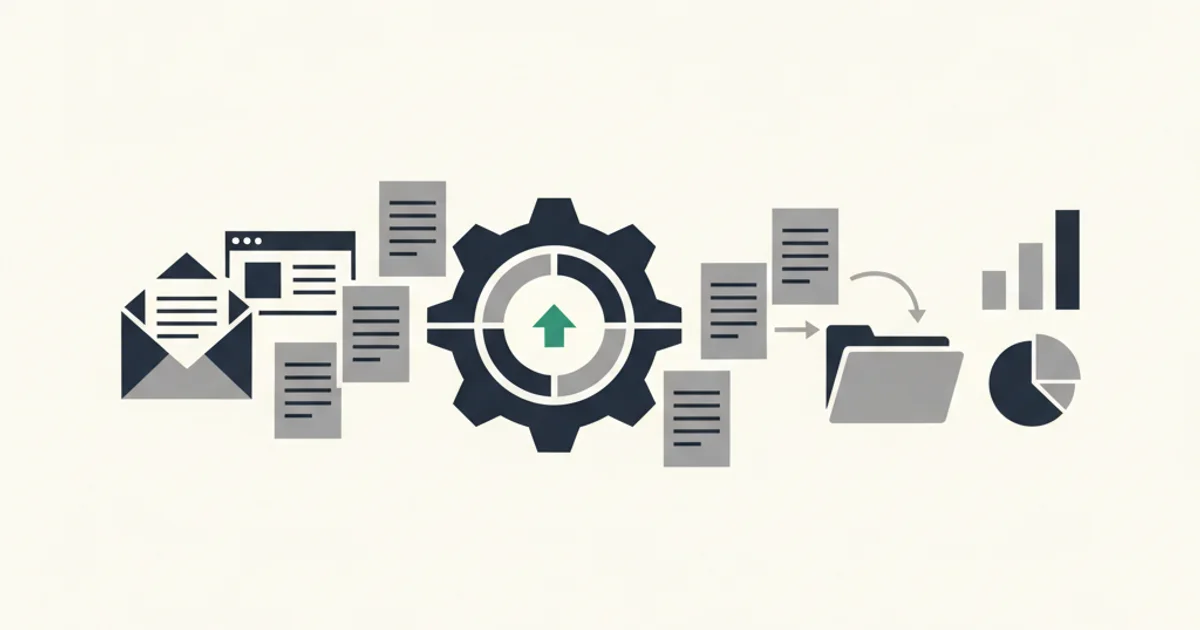
Processing invoices by hand is one of those tasks that feels manageable until it is not. At twenty invoices a month, a spreadsheet and a folder of PDFs cover the job. At two hundred, the cracks start showing. At two thousand, a full-time person is doing nothing but keying numbers, chasing approvals, and correcting entry errors while the business flies blind on payables.
This guide covers the actual mechanics of automating invoice processing: what it costs not to automate, which five stages of the invoice lifecycle are automatable, how each stage works technically, and how to roll this out without breaking the workflow you already have.
The real cost of processing invoices by hand
The Institute of Finance and Management benchmarks accounts payable processing cost at $15.97 per invoice for median organizations processing manually. Top-quartile automated operations bring this to $2.36. That gap is not a rounding error.
Where does the $15.97 go? Break it down and you find four buckets:
Data entry and keying accounts for roughly 40 percent. Someone is reading a PDF and typing vendor name, invoice number, date, amounts, and line items into an accounting system. This takes five to ten minutes per invoice under good conditions, longer when the PDF is a scanned image or the vendor changes their layout.
Approval routing accounts for about 25 percent. Emailing an invoice to a manager, waiting for sign-off, following up three days later when it has not come back, and manually recording the approval decision. For invoices that need multiple approvers, multiply the waiting time by the number of levels.
Exception handling and corrections runs another 20 percent. An entry error caught during reconciliation means someone goes back to the source PDF, finds the right number, corrects the accounting record, and documents the change. The IRS, HMRC, and EU tax authorities all expect an audit trail for corrections; undocumented edits are a compliance problem.
Coding and GL assignment takes the remaining 15 percent. Deciding which general ledger account each line item belongs to is judgment work, but for recurring vendor types it is judgment work that follows predictable rules and should not require a human decision each time.
APQC benchmarks put median invoice-to-approval cycle time at 8 to 10 business days. Best-in-class automated operations run below 3 days. That calendar time matters for vendor relationships, early-payment discounts (typically 1 to 2 percent for payment within 10 days), and your ability to plan cash flow with any accuracy.
The argument for automation is not that it eliminates all human judgment. It is that it removes the repetitive, mechanical parts so the human judgment that remains is applied to things that actually need it.
Five stages of the invoice lifecycle you can automate
An invoice moves through five distinct stages from the moment it arrives to the moment payment clears. All five stages can be automated; some are more straightforward than others.
Stage 1: Capture
Getting the invoice document into your system. The challenge is that invoices arrive through multiple channels simultaneously: email attachments, vendor portals, physical mail, forwarded messages, and direct uploads from staff who photograph receipts on their phones.
Stage 2: Extraction
Converting a PDF or image into structured data fields. This is the step that breaks most naive approaches. Vendor name, invoice number, issue date, due date, currency, subtotal, tax by rate, total, and line items are all fields that need to come out accurately and consistently.
Stage 3: Validation
Checking extracted data against business rules, vendor records, and purchase orders. Does this vendor match our approved vendor list? Does the amount match the PO? Is the tax rate correct for this vendor's jurisdiction? Does this duplicate a document we already processed?
Stage 4: Approval
Routing the invoice to the right person or people for authorization based on amount, department, cost center, or vendor type. Capturing and recording that approval in an auditable way.
Stage 5: Posting
Writing the approved invoice data into your accounting system, scheduling payment, and storing the original document in your archive with the full processing history attached.
Each stage has a failure mode. The cost of manual processing is what happens when all five stages require human intervention on every document. Automation moves each stage from "human does it every time" to "human reviews exceptions," and eventually to "system handles it, human audits results."
Capture automation: getting invoices in without touching them
Capture is where volume problems start. A business using thirty vendors might receive invoices through eight different channels: Gmail, Outlook, a forwarding inbox, two vendor portals that require manual login, a Slack message from a contractor, a physical bill from the landlord, and a PDF that someone downloaded and emailed to accounting.
The practical approach is to reduce the number of capture channels, not try to monitor all of them simultaneously.
Email ingestion as the primary channel
For most businesses, 60 to 75 percent of invoice volume arrives as email attachments or HTML receipts. Connecting your business email accounts directly to your processing system using OAuth captures this volume automatically. The connection scope should be read-only: the system reads your inbox, identifies invoices based on sender patterns and subject keywords, and pulls the PDF attachment or follows the linked PDF. It does not need to send mail, delete messages, or modify anything.
Gmail and Outlook both support incremental sync via History API and Delta Query respectively, which means once connected, new invoices process within seconds of arrival without polling.
Vendors like Stripe, AWS, GitHub, and Vercel default to direct PDF attachments. Vendors like Amazon Business and most advertising platforms embed a receipt in the email body and link to the actual PDF. A proper email ingestion layer handles both patterns. For vendors where you receive invoices directly in the platform, the Amazon Business portal integration handles this specific case, and for subscription billing from major SaaS vendors, the Stripe portal integration connects your billing feed directly.
Forwarding addresses for non-email sources
For invoices that arrive through a channel you cannot connect directly, a dedicated forwarding address provides a unified capture point. Send the invoice to your processing inbox and it flows through the same extraction pipeline as everything else.
This pattern works well for:
- Physical invoices that someone photographs and emails to accounting
- Portal invoices where manual download is unavoidable
- Invoices a field employee receives and needs to forward for processing
- Vendors who send to a generic address that routes to multiple inboxes
The key is having one address that acts as the catch-all so no channel requires its own custom process.
Mobile and manual upload
Some invoices genuinely require human action to capture: scanned physical bills, expense receipts from business travel, statements that only appear in a portal you cannot integrate. A mobile-friendly upload interface lets staff photograph or upload documents directly, avoiding the email-forwarding step. These go through the same extraction and approval pipeline as automated captures, so the processing workflow is identical even if the capture step is not.
Extraction automation: from PDF to structured data
Getting a PDF into your system is the easy part. Converting it into structured fields your accounting system can consume is where most first-attempt automation breaks.
OCR plus AI extraction
Older extraction approaches used OCR to convert a PDF into text, then regex patterns to pull fields out of that text. This worked reasonably well for invoices with consistent, predictable layouts from a known vendor. It broke every time a vendor changed their template.
AI-based extraction applies models trained on diverse invoice layouts. Instead of pattern-matching on position ("the total is always in the bottom-right box"), the model understands what fields are conceptually and can find them regardless of where they appear. The practical difference: an AI extractor handles a new vendor on first encounter without configuration. A regex-based system requires someone to write a new parser for each template.
The AI processing features that matter for extraction quality are multi-language support (invoice bodies and labels vary by vendor jurisdiction), multi-currency handling (amounts with correct decimal conventions for EUR, GBP, JPY), tax decomposition (multiple VAT rates on a single invoice), and credit note recognition (a negative-amount document is not an invoice error, it is a valid document type that should post differently).
Accuracy thresholds and confidence scoring
A good extraction system does not just return fields. It returns fields with confidence scores. A vendor name extracted from a clearly formatted header is not the same as a vendor name inferred from a partial OCR read of a faded thermal receipt. Both might produce the same output text, but they should carry different confidence scores.
Use confidence thresholds to route documents:
- High confidence on all fields: auto-accept and proceed to validation
- High confidence on most fields, low on one: flag that specific field for human review while auto-processing everything else
- Low confidence overall: route the entire document to an exception queue
An exception rate above 15 percent in the first month usually means extraction is misconfigured for a specific vendor type, not that the system is fundamentally broken. Target exception rates below 5 percent after two months of operation with your actual vendor mix.
Deduplication
Every extraction pipeline needs deduplication logic. The same invoice arrives multiple times more often than you expect: the original email, a forwarded copy, a reminder email the vendor sent, and a PDF someone manually uploaded when they thought the original was lost. Without deduplication, you post the same payable two or three times.
Deduplication checks against invoice number plus vendor, against document hash, and against amount-date-vendor combinations. Flag potential duplicates for human confirmation rather than auto-rejecting them, because different invoices occasionally share numbers from small vendors with poor numbering practices.
Approval workflows: routing without email chains
Invoice approval by email thread is the single most common bottleneck in accounts payable. An invoice lands in the approver's inbox, gets buried under everything else, and sits for a week. The AP team sends a follow-up. Another three days pass. The vendor issues a late-payment notice. Someone escalates manually. Total time from receipt to approval: twelve business days for what should have been a two-minute decision.
Rule-based routing
Most invoice approval decisions follow rules that can be stated explicitly. Define them once and the system routes automatically:
- Invoices under $500 from approved vendors auto-approve
- Invoices $500 to $5,000 route to the department head
- Invoices over $5,000 route to finance director then CFO
- Invoices from a new vendor not in the approved list route to procurement for vendor setup
- Invoices with a line item coded to a capital expenditure account route to the CFO regardless of amount
Rule-based routing eliminates the "who should approve this?" question entirely. The decision is made by policy, not by whoever happens to be in the approval chain that week.
Threshold-based auto-approval
For recurring, predictable invoices from trusted vendors, a zero-touch path is achievable. Set criteria: if the invoice is from an approved vendor, the amount is within X percent of the prior invoice, and there is no open dispute on the account, auto-approve and post. Monthly SaaS subscriptions, utility bills, and recurring service contracts are good candidates.
Start conservative on thresholds. A 5 percent variance window on recurring vendor amounts catches honest rounding differences without approving genuine billing errors. Expand thresholds as you build confidence in the vendor relationship and extraction accuracy.
Audit trail requirements
Every approval decision, whether automated or human, needs a timestamped record: who approved, when, under what rule or authority, and the document state at the time of approval. This is the audit trail that satisfies IRS record-keeping requirements under IRS Publication 583 and the APQC's accounts payable control standards. Without it, you cannot demonstrate that a payment was authorized. Systems that auto-approve without logging the approval decision are creating a compliance gap, not reducing work.
Integration with accounting systems
Automation without accounting integration is a paper-reduction exercise, not a process change. The extracted, validated, approved invoice data needs to reach your books automatically.
QuickBooks and Xero
Both QuickBooks Online and Xero offer APIs with endpoints for creating bills, attaching documents, and posting journal entries. A standard integration creates a bill in your chart of accounts with the correct vendor, GL coding, due date, and amount, attaches the original PDF as a document, and marks it as ready for payment. Your accountant sees a fully coded bill with the source document attached, without having manually entered anything.
Vendor matching is the part that needs initial configuration. Your accounting system has vendors in its master list. Your incoming invoice has a vendor name in text. The integration needs to match "Amazon Web Services" in the extracted text to "Amazon Web Services, Inc." in your QuickBooks vendor list, handle abbreviations and common aliases, and create a new vendor record when no match is found. Build this lookup table carefully in the first week of operation. It is the primary source of incorrect GL coding.
Xero, Sage, and NetSuite
The same principles apply at larger systems. Sage Intacct and NetSuite have more complex entity structures (multi-entity, multi-currency, multi-department) that require more configuration at setup but also offer more sophisticated auto-coding once configured. A Sage integration might route a vendor invoice automatically to the correct subsidiary and inter-company elimination entry based on vendor metadata. A NetSuite integration might apply three-way matching against purchase orders and goods receipts before posting.
For enterprise systems, plan for a longer integration configuration period. Two to four weeks is typical for a first NetSuite or Sage Intacct integration with complete auto-coding. The payoff is proportional to invoice volume.
Three-way matching
Where purchase orders exist, three-way matching is a validation step before approval rather than after. The system compares the invoice amount against the PO amount and the goods-receipt quantity. If all three match within tolerance, the invoice can auto-approve. If they diverge, it routes to purchasing for reconciliation.
Three-way matching catches overbilling, duplicate invoicing, and goods-received-but-not-invoiced gaps. Most mid-market AP teams that implement it discover they were overpaying on 2 to 4 percent of PO-based invoices before the control existed.
Rollout strategy: pilot, expand, measure
The fastest way to make invoice automation fail is to replace everything at once. The right approach runs in three phases.
Phase 1: Pilot on a defined subset
Pick one invoice source and one vendor type for the initial pilot. A good choice: Gmail or Outlook email source, invoices from your top five SaaS vendors by volume. This gives you a high-volume, predictable test case where you will see results quickly and where failures are low-stakes.
Run the pilot for two to four weeks without changing your existing process. The automation runs in parallel. Compare extraction accuracy against what your team would have entered manually, look at exception rates by vendor, and measure cycle time from receipt to approval-ready status.
At the end of the pilot, you have real accuracy numbers on your specific vendor mix, real exception rates, and a sense of where the approval workflow rules need tuning. You do not have those numbers from a vendor's marketing page.
Phase 2: Expand by channel and complexity
After the pilot validates accuracy and the team has confidence in the exception queue, expand by adding more invoice sources (second email account, forwarding addresses), more vendor types, and gradually enabling auto-approval for the invoice categories that hit no exceptions in the pilot phase.
Introduce accounting integration in this phase, starting with bill creation without auto-coding. Have your accountant review the created bills and correct GL assignments for the first two weeks. Use those corrections to build the vendor-to-GL-code mapping table before enabling auto-coding. This prevents a wave of miscoded bills landing in your books on day one.
Phase 3: Measure and optimize
Define your success metrics before go-live and track them monthly:
- Cost per invoice: hours per invoice times fully-loaded labor rate. This should drop within the first month and continue declining as exception rates fall.
- Cycle time: days from invoice receipt to payment authorization. Track this at the median and 90th percentile; outliers are usually approval bottlenecks, not extraction problems.
- Exception rate: percent of invoices requiring manual intervention at any stage. Below 5 percent after two months is a healthy target.
- Duplicate detection rate: invoices caught as duplicates before posting. If this is zero, your deduplication is probably not working.
- Early-payment discount capture: for vendors offering net-10 discounts, what percent are you capturing? This number should increase as cycle time drops.
The APQC benchmarks cited earlier provide external comparison points. Best-in-class automated AP operations run below $2.36 per invoice, below 3-day cycle time, and below 2 percent exception rate. Use these as long-term targets, not first-month expectations.
Start for free and extract your first 10 invoices without a credit card.
What you are actually buying when you automate invoice processing
Manual invoice processing is not a cost you have to pay. It is a structural inefficiency that has been normalized by repetition. At $15 per invoice and thirty minutes of cycle time, a business processing 300 invoices monthly spends $4,500 in direct labor and ties up working capital for nine days on average across its payables.
The math on automation is not complicated. The question is which invoices to start with, which stages to automate first, and how to measure whether it is working. Most businesses that stall on this decision are waiting for a perfect implementation plan rather than running a two-week pilot on their top five vendors.
Start narrow. Measure what you get. Expand to where the data says it works.
For a broader look at how this fits into accounts payable modernization, our comparison of accounts payable best practices covers the organizational and process side alongside the tooling decisions. For a head-to-head look at specific automation tools, the best AP automation software comparison covers what to evaluate and what to ignore in vendor pitches. If you are already running a tool and evaluating whether to switch, the alternatives hub compares the major options across accuracy, integration depth, and pricing model.