How to Organize Invoices Effectively
Build an invoice organization system that scales. Covers the full lifecycle, filing structures, naming conventions, audit trail requirements, and accountant handoff patterns.

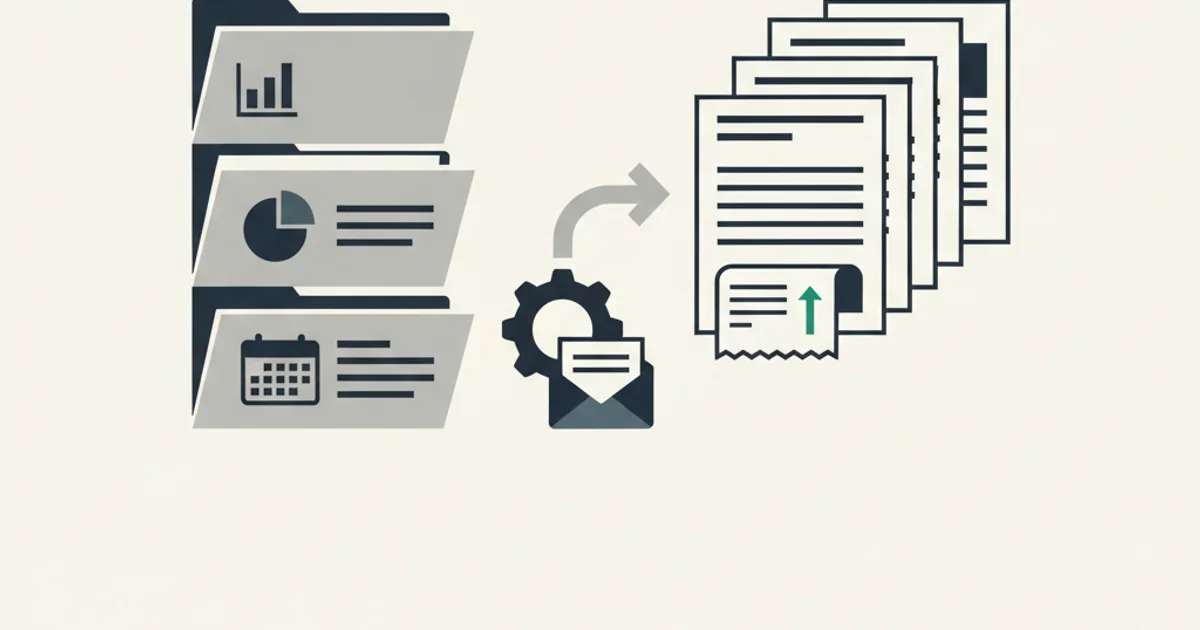
Most businesses treat invoice organization as a filing problem. It is not. It is a process problem with a filing component, and fixing only the filing leaves the underlying process still leaking time and money every month.
An invoice is not just a document to store. It is an obligation with a lifecycle: received, verified, approved, paid, reconciled, archived. At each stage, something can go wrong. A vendor invoice that never reached an approver is a late payment and a relationship problem. An approved invoice that was never reconciled to a bank transaction is an open loop in your books. An invoice stored but never retrievable in an audit is as useful as one that was never stored at all.
This guide covers the full lifecycle and builds a system around it, not just the storage question at the end.
Why invoice organization is its own discipline
Invoices get conflated with two adjacent problems they are not: expense tracking and receipt management. Understanding the distinction matters because the right tools and workflows are different.
Expense tracking is about capturing spend by category so you understand where money is going. It lives in accounting systems and produces reports. Invoices are the inputs to expense tracking, but expense tracking is downstream of invoice management, not the same thing.
Receipt management is about proof of purchase, usually for employee reimbursement or consumer expense. A receipt shows a transaction happened. An invoice is a structured billing document from a vendor that may or may not have been paid yet, may carry tax detail needed for VAT reclaim, and carries a legal obligation from the moment it is issued. The organizational requirements are more demanding.
Invoice organization also has an accounts payable dimension that expense tracking and receipt management do not. Invoices need to be approved before payment, not just captured after. They need to be matched to purchase orders if your business uses POs. They need to be reconciled to bank transactions after payment. They expire (due dates matter, early payment discounts expire). An employee receipt does not carry any of this.
The consequence: building an invoice system on top of a receipt app or an expense tracker leaves gaps at every stage that requires AP-specific logic. Start from first principles.
The invoice lifecycle
Every invoice passes through the same stages. Building your system around these stages rather than around folder hierarchies makes the system self-documenting.
Stage 1: Received. The invoice lands somewhere, usually email, sometimes a vendor portal, sometimes a forwarded message from someone in the business. At this stage the job is capture, not organization. Every received invoice needs to hit a single landing zone within 24 hours. If invoices are arriving at five different email addresses, two shared inboxes, and one person's personal account, you will miss some. Define one entry point and route everything there.
Stage 2: Logged. Before approval, the invoice needs a record in your system with at minimum: vendor name, invoice number, invoice date, due date, amount, currency, and the PDF stored somewhere retrievable. Logging is distinct from approval. An invoice can be logged but not yet reviewed. An invoice that is not logged has no existence in your system.
Stage 3: Verified. Someone confirms the invoice matches what was ordered or contracted. For recurring vendors (SaaS subscriptions, utilities) this is often a quick sanity check against expected amount and billing period. For project invoices it may require comparing to a statement of work or delivery milestone. Verification can be done by the person who owns the vendor relationship, not necessarily finance.
Stage 4: Approved. A named person with authority authorizes payment. For many small businesses this is the owner or finance lead. For larger teams, approval authority is tiered by amount. The approval action needs to be logged with a timestamp and the approver's identity. An implicit approval ("nobody flagged it so we paid it") is not auditable.
Stage 5: Paid. Payment runs against approved invoices on a defined schedule, or immediately for due-on-receipt terms. The payment record should update the invoice status to paid and capture the payment date, method, and reference number. A bank transfer has a reference. A credit card charge has a transaction ID. These get attached to the invoice record.
Stage 6: Reconciled. The paid invoice is matched to the corresponding bank transaction. If a payment of $4,200 to Acme Corp shows up in your bank feed, and an invoice from Acme Corp for $4,200 was paid on the same date, they match. Reconciliation closes the loop between your invoice records and your actual cash movements. Unreconciled invoices are a common source of discrepancies at month end.
Stage 7: Archived. Reconciled invoices move to long-term storage with their full audit trail intact. The archive should be searchable by vendor, date, amount, and invoice number, and should retain the original PDF with a hash or version record that proves it was not altered after storage. Retention periods are set by jurisdiction and the IRS and HMRC guidance below.
A system that tracks stages rather than just storing files tells you at any moment which invoices are awaiting approval, which are approved but unpaid, and which are paid but not yet reconciled. That visibility is worth more than any folder structure.
Filing structures that scale
Three common filing approaches, each with a valid use case.
Vendor-first structure
invoices/
  acme-corp/
    2026-01-15_INV-2026-0023_USD-3800.pdf
    2026-02-15_INV-2026-0031_USD-3800.pdf
  aws/
    2026-01-31_INV-AWS-0098_USD-1240.pdf
    2026-02-28_INV-AWS-0112_USD-1180.pdf
Works well when: you have fewer than 50 active vendors, you need to audit a specific vendor relationship quickly, your payment runs are vendor-by-vendor rather than batched.
Breaks down when: a new vendor name has to be decided before the file can be stored, the vendor changes name (acquisition, rebrand), or the primary question is always "what was due in March" rather than "what have we paid Acme."
Date-first structure
invoices/
  2026/
    01-january/
      acme-corp_INV-2026-0023_2026-01-15_USD-3800.pdf
      aws_INV-AWS-0098_2026-01-31_USD-1240.pdf
    02-february/
      acme-corp_INV-2026-0031_2026-02-15_USD-3800.pdf
Works well when: month-end close is the primary workflow, you want to hand an accountant "here is January" as a package, or your vendor count is large and growing.
Breaks down when: you need to pull all invoices from a single vendor for a dispute or audit, or when a vendor sends multiple invoices in one month for different projects.
Status-first structure
invoices/
  inbox/
  pending-approval/
  approved-unpaid/
  paid-unreconciled/
  reconciled/
    2026/
      01-january/
Works well when: the process visibility matters more than the filing taxonomy, you have an AP workflow with handoffs between people, or you want the folder structure to reflect operational state.
Breaks down when: the status folders become a second inbox nobody clears, or when files move through stages faster than the folder moves are managed.
The recommendation for most growing businesses: date-first for the permanent archive combined with a status-based active queue. Invoices live in inbox, pending-approval, or approved-unpaid while they are in flight, then move to a date-organized archive on reconciliation. The active queue is small and changes constantly. The archive grows predictably and is organized for retrieval.
Naming conventions that hold up under pressure
A file named invoice (3).pdf helps no one. A file named acme-corp_INV-2026-0041_2026-04-15_USD-4200.pdf is parseable without opening it.
The pattern that works: {vendor-slug}_{invoice-number}_{date}_{currency-amount}.pdf
Breaking each component down:
Vendor slug. Lowercase, hyphen-separated, consistent. Amazon Web Services, Amazon Business, and AWS should all normalize to aws. Pick one and use it everywhere. A lookup table of aliases prevents the same vendor appearing under three names. Tools that automatically extract vendor data from the invoice PDF handle this normalization without manual decisions at filing time.
Invoice number. Use the vendor's own number, prefixed with the vendor's convention. INV-2026-0041 is better than renaming it to your own sequence, because vendor invoices are referenced by the vendor's numbering in correspondence, payment remittances, and disputes. Use the number as-issued.
Date. ISO 8601: 2026-04-15. Never 04-15-2026 or 15-04-2026 or Apr 15. ISO sorts correctly as text, is unambiguous across locales, and is the format most accounting tools import without coercion.
Currency and amount. USD-4200 or EUR-3500. The currency prefix matters when you operate in multiple currencies. 4200.pdf and 3500.pdf are ambiguous. USD-4200.pdf and EUR-3500.pdf are not.
Some teams add a status suffix: _PAID when payment is confirmed, _VOID for cancelled invoices. This adds useful information directly to the filename at the cost of requiring a rename when status changes. For small teams managing files manually, worth it. For teams using software that tracks status separately, unnecessary.
Where invoices should live at each lifecycle stage
The stage-to-storage mapping closes the gap between "we have a process" and "we have a place for every stage of the process."
Received: A dedicated capture folder or shared inbox. Email vendors route invoices through inbox monitoring to a single landing zone automatically. For vendor portals that do not send PDF attachments, a forwarding address or manual download feeds the same landing zone.
Logged and pending review: An active queue folder with a clear owner. Not a shared Drive folder that nobody checks, but a folder with a named person responsible for clearing it on a defined schedule. Daily or twice-weekly works for most businesses.
Pending approval: A separate approval queue, or if your AP system supports it, a digital approval workflow where the invoice is in the system and the approver acts on it there rather than on the file. Approval workflows in accounting tools provide the logged timestamp and approver identity without any manual record-keeping.
Approved, pending payment: Staged in your AP system or accounting software, flagged for the next payment run. The PDF stays in the active queue until paid.
Paid, pending reconciliation: The invoice moves to a holding folder or "paid" status in your system. Reconciliation happens when the bank feed matches. For businesses using software that imports bank transactions, this step can be automated by matching on vendor name, amount, and date.
Reconciled and archived: Long-term storage, date-organized, with the full audit trail attached to the record. For cloud storage, this is an S3 bucket, a Google Drive folder with retention settings applied, or a OneDrive archive. For local storage, a file server with backup and access controls. The archive should be write-once or version-controlled, not a folder anyone can quietly overwrite.
Vendors like Stripe and Amazon Business send invoices automatically and consistently. Set up routing rules for these so they bypass manual logging and go directly from capture to logged status. The manual queue is for irregular vendors where automation cannot safely classify without a human check.
Audit trail requirements
An audit is not just a question of having the invoices. It is a question of being able to prove what happened to each invoice from the moment it was received.
The minimum audit trail for each invoice:
- When it was received (timestamp and source)
- Who logged it (or that it was auto-logged)
- Who verified it and when
- Who approved it and when
- When payment was authorized and by whom
- Payment reference (bank transfer ID, credit card transaction ID, check number)
- When payment was confirmed
- When it was reconciled and to which bank transaction
This record does not have to live in a spreadsheet. A well-configured accounting system maintains most of it automatically. But if your process is file-based and you are using folders and manual payment runs, you need a parallel log. A simple spreadsheet with one row per invoice and columns for each stage works for small volumes. For anything above 50 invoices a month, purpose-built AP software or accounting tools with AP modules handle the log automatically.
The IRS (Publication 583) requires records that clearly show income, deductions, and credits. "A clear invoice in a folder" is borderline. "An invoice with a logged receipt date, approval, payment record, and reconciliation" is unambiguous. The AICPA's record retention guidance recommends documenting the business purpose of each expense in addition to the payment record. HMRC's record keeping requirements specify six years from the end of the financial year for most records, and longer for specific transaction types.
Immutability matters as well. An archived invoice PDF should not be editable after storage. Cloud storage solutions with versioning or object lock provide this. A Google Drive folder that anyone with edit access can quietly overwrite does not. When an auditor asks whether the invoice was altered after the fact, "it was in a Drive folder" is not a satisfying answer. "It is stored in a bucket with write-once policy and a SHA-256 hash on record" is.
Accountant handoff patterns
The quality of your invoice organization determines how much your accountant bills you. An accountant who has to sort, rename, and cross-reference your PDFs before they can work is billing you for your disorganization. An accountant who receives a structured export and a matched folder of PDFs can go straight to coding and review.
Three handoff formats, in order of quality:
Option 1: Structured CSV plus matched PDFs. Export a spreadsheet with one row per invoice: vendor, invoice number, date, amount, currency, tax amount, payment date, payment method, and GL account code if you have it. Name PDFs to match the invoice number column. Hand over both together. The accountant imports the CSV, attaches the PDFs, and reviews for coding accuracy. No rekeying, no hunting for files.
Option 2: Shared accounting system access. If you use QuickBooks, Xero, or a comparable tool, your accountant logs in directly. Invoices are already in the system with attachments, status, and payment records. The accountant reviews, codes, and closes. This is the lowest-friction handoff if both parties already work in the same platform.
Option 3: Shared folder of organized PDFs. A last resort for businesses without structured data. At minimum, the folder should be date-organized, the files should follow a consistent naming convention, and a cover note should explain what is included and what time period it covers. This puts the maximum work on the accountant side and is worth upgrading as soon as volume makes the structured handoff worthwhile.
The worst handoff is an unstructured shared folder where PDFs are named by the vendor's default naming convention (often a UUID or a generic "invoice.pdf"), mixed with receipts, bank statements, and random documents. Any bookkeeper who has received one of these knows exactly how much time it adds to a month-end close.
For businesses receiving invoices through automated sources, the handoff can be fully automated. Our integration with Google Sheets exports structured invoice data in real time as invoices are processed, and our Google Drive export creates a date-organized archive of PDFs alongside it. The accountant accesses both without anyone sending a file.
Start for free and extract your first 10 invoices without a credit card.
Putting the system together
A practical implementation sequence for a business starting from zero or reorganizing an existing mess:
Week 1: Define the entry point. Pick one email address or folder as the sole landing zone for invoices. Set up forwarding or routing rules so every invoice source feeds it. For vendors that send to the wrong address, update billing contacts.
Week 2: Log everything in flight. Go through the current inbox and log every invoice that is in any active stage: received, pending approval, approved unpaid. Create the status folders. Move everything to its correct stage.
Week 3: Set up naming and filing conventions. Write down the naming pattern and post it somewhere visible. Create the archive folder structure. Start moving reconciled invoices from the current pile into the archive with correct names.
Week 4: Document the handoff format. Agree with your accountant on the preferred export format. If you are using accounting software, add your accountant. If you are using folder-based storage, set up the first structured export and get feedback.
After that, the system runs on the process: receive, log, verify, approve, pay, reconcile, archive. The folder structure and naming convention handle themselves once they are set up and consistently applied.
The most common failure mode is a system that works during setup and gradually degrades as exceptions pile up, nobody has time to rename a file correctly, and the "inbox" folder becomes a second archive nobody looks at. The fix is a weekly review: clear the inbox, push items through the approval queue, reconcile what can be reconciled. Twenty minutes a week keeps a system that took a weekend to build from reverting to chaos.
For businesses processing invoices at scale, the automation question becomes pressing. Manual logging, approval routing, and reconciliation matching are automatable at every stage. The categories of tools worth knowing include dedicated AP platforms (Bill.com, Tipalti), accounting systems with strong AP modules (QuickBooks Online, Xero), and purpose-built inbox extraction tools that handle the capture and classification step before data enters any of those systems. Our comparison of document management tools for accountants covers the options in that space with honest trade-off analysis. For the accounts payable workflow side specifically, our accounts payable best practices post covers approval workflows, payment terms management, and early payment discount capture.
The goal is a system where every invoice has a known location at every stage of its lifecycle, every state change is logged, and retrieval for any purpose, whether a vendor query, a month-end close, or a tax audit, takes minutes rather than hours.