Best Invoice OCR Software in 2026
Seven invoice OCR and AI extraction tools compared honestly. Where each one is strong, where each falls short, and how to run a 2-week pilot before committing.

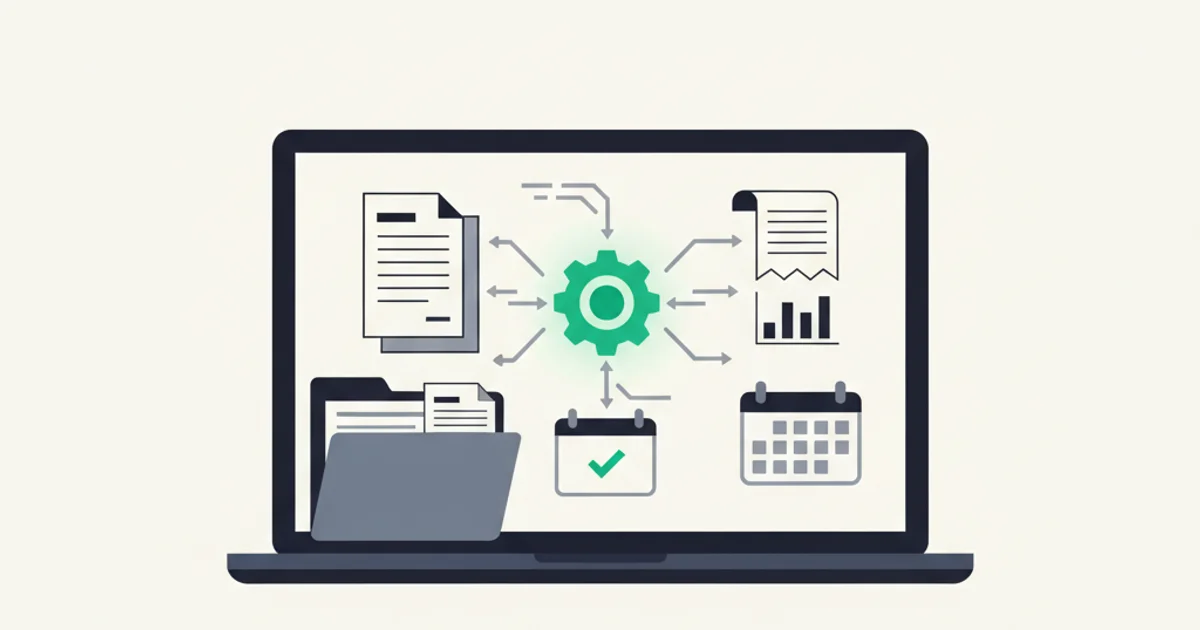
A quick framing note before the list: "invoice OCR software" in 2026 means something different than it did in 2019. Classic OCR, the kind that used pixel patterns to recognize characters, is now the floor, not the ceiling. Every serious product on this list uses it. What actually separates them is the intelligence layer on top: whether the system understands invoice structure, handles multilingual documents without per-country templates, extracts line items reliably, and integrates usefully with the accounting stack you already have.
That shift matters when you evaluate. Accuracy on clean digital PDFs from major vendors is high across the board. The gaps show up on scanned paper, on invoices from smaller or regional vendors with idiosyncratic layouts, and on documents in languages other than English. Those are also exactly the documents most businesses care most about getting right.
What "invoice OCR" actually means in 2026
Traditional OCR software did one thing: convert a scanned image into characters. It had no concept of fields, no understanding that the number after "Total:" was different from the number after "Invoice #:". Extracting structured invoice data from classic OCR output required either manual review or elaborate regular-expression templates, one per vendor layout, breaking whenever the vendor updated their PDF template.
AI extraction changes the model. The system learns invoice structure: headers, tables, totals, line items, tax sections. It handles layout variation without templates because it understands what it is reading, not just what characters it sees. A French invoice with "TVA" instead of "VAT" and a comma as the decimal separator extracts correctly because the model understands French tax invoice conventions.
The practical consequence: the evaluation criteria for 2026 are different.
What to actually measure when evaluating:
- Field-level accuracy on your invoice mix. Ask vendors for a trial, run your actual invoices, and measure how often the vendor name, total, tax amount, and invoice number are correct. Not the vendor's benchmark suite, your files.
- Line-item extraction quality. Total amount extraction is the easy part. Whether the tool reliably extracts each individual line item with description, quantity, unit price, and amount matters if you need expense categorization or cross-checking against POs.
- Multi-language coverage. If any of your vendors issue in a language other than English, test those documents specifically. Coverage gaps are common and rarely disclosed upfront.
- Connector quality, not just connector existence. A QuickBooks integration that syncs the total but drops the line items or the PDF attachment is not useful for a bookkeeper. Test the export before assuming it works the way you need.
- Pricing model fit. Volume-based pricing (per page or per document) and subscription pricing (flat monthly) break even at very different volumes. Know your monthly invoice count before comparing costs.
- Confidence scoring and review flow. A tool that flags uncertain extractions for human review is more trustworthy than one that silently produces bad data. How it handles errors matters as much as how often it makes them.
The Gartner Market Guide for Invoice-to-Pay Solutions notes that enterprise buyers target above 85% straight-through processing as a baseline. Below that, the manual review burden erodes the time savings. Verify which side of that line any tool falls on for your document types before you commit.
Rossum
Positioning: Enterprise-grade intelligent document processing, built for high-volume AP teams with complex validation requirements.
Strongest feature: Rossum's Aurora model handles layout variation and training on custom document types better than most. For organizations processing invoices with unusual formats, regional vendors, or strict validation against ERP data, the ability to build custom extraction rules layered on top of the base model is a genuine advantage. Its queue management and validation UI is also the most developed on this list, designed specifically for finance-team workflows.
Where it falls short: Rossum is priced and scoped for enterprise. The configuration overhead for smaller teams is real: setup involves template training, validation rules, and workflow configuration that takes days rather than minutes. The pricing starts at custom contract levels that put it out of range for teams under roughly 2,000 documents per month. Support is oriented toward enterprise SLAs, not self-service troubleshooting.
Pricing: Custom contracts; expect starting costs around $500 to $1,500+ per month at enterprise volumes. No meaningful free tier.
Best-fit buyer: AP automation for mid-to-large enterprises (200+ employees) processing high volumes with complex validation, ERP integration (SAP, Oracle, NetSuite), and a dedicated IT team for setup.
Hypatos
Positioning: Deep learning document processing platform with a focus on financial documents and SAP integration.
Strongest feature: Hypatos is built specifically for structured financial documents and has strong SAP/S4HANA connectors. For enterprise buyers already on SAP who need automated GL coding, PO matching, and multi-entity handling, the native integration depth is hard to match. Its deep learning models handle complex European invoice formats well, including the specific tax fields (DATEV-compatible exports for German operations, for instance).
Where it falls short: Like Rossum, this is an enterprise platform, not a plug-and-play tool. Implementation requires a project engagement, the UI is aimed at finance administrators rather than small-business owners, and the pricing reflects the enterprise scope. Very little self-service documentation or community support. If you do not have an ERP integration requirement, Hypatos is more platform than you need.
Pricing: Custom enterprise pricing; implementation services are typically bundled into initial contracts.
Best-fit buyer: Enterprise finance teams with existing SAP infrastructure, multi-country operations with regional tax compliance requirements, and in-house IT resources for deployment and maintenance.
Docsumo
Positioning: API-first intelligent document processing for developers and product teams building extraction into their own workflows.
Strongest feature: Docsumo's real strength is the API. If you are building a product or internal tool that needs invoice extraction as a service, Docsumo provides a well-documented REST API with pre-trained models for invoices, receipts, and other financial documents. Confidence scores per field are returned in the API response, which makes building a sensible review queue on top of it straightforward. The pre-trained invoice model covers most standard fields out of the box.
Where it falls short: The built-in UI is minimal. Docsumo is built for developers who integrate it, not for finance teams who want a ready-to-use product. If you are not integrating into a custom system, you are paying for API surface that you will not use. The out-of-box connectors to accounting software are thinner than Dext or Hubdoc.
Pricing: Pay-per-page model; starts around $0.05 to $0.20 per page depending on volume tier. Self-service plans available.
Best-fit buyer: Development teams building invoice processing into their own application or internal tooling; product managers at fintech or accounting software companies who need extraction as a service.
Veryfi
Positioning: Fast, API-accessible OCR and data extraction for receipts and invoices, with a mobile-first capture workflow.
Strongest feature: Veryfi is notably fast: extraction turnaround is typically under 5 seconds, which matters for real-time workflows. The mobile SDK and apps are the most polished on this list for on-the-go receipt capture, making it a natural choice for expense management use cases where field employees are photographing receipts at point of purchase. The API is clean and well-documented, and the receipt-extraction models handle smaller-format documents (thermal receipts, expense receipts) better than tools primarily trained on formal invoices.
Where it falls short: Line-item extraction quality on formal multi-line vendor invoices is less consistent than tools purpose-built for AP automation. The accounting-software connectors exist but are not as deep as Dext or Hubdoc. For B2B invoice processing at volume, the receipt-centric focus means some enterprise AP fields are missing or require custom configuration.
Pricing: Developer plans from around $500/month for 2,000 documents; lower self-service tiers available. Volume discounts available.
Best-fit buyer: Expense management applications, travel-and-expense workflows, teams with high volumes of receipt photos rather than formal vendor invoices, and developers building mobile capture flows.
Dext (formerly Receipt Bank)
Positioning: Bookkeeper-centric data capture tool with deep accounting-software integrations and a strong partner network.
Strongest feature: Dext's integrations with QuickBooks and Xero are the deepest available for a dedicated capture tool. It pushes documents as line items with GL coding suggestions based on historical patterns, which is a genuine time-saver for bookkeepers coding hundreds of transactions a month. The supplier rules (auto-code expenses from a known supplier to the right account) work well once trained. The partner portal for accounting firms lets a bookkeeper manage multiple clients' document feeds from a single dashboard.
Where it falls short: Dext's per-client pricing model gets expensive when you are managing more than a handful of entities. Extraction accuracy on non-English documents and on invoices from smaller regional vendors is decent but not exceptional. The mobile app gets mixed reviews on recent iOS versions. The product has been through multiple rebrands and acquisitions (Dext acquired Receipt Bank, then acquired Approval Max), and some users report inconsistency in support quality.
Pricing: Starts around $20 to $50 per client per month for accounting firm plans; direct business plans vary. Volume discounts for larger firms.
Best-fit buyer: Bookkeepers and accounting firms managing multiple clients who need a reliable capture-to-QBO/Xero pipeline and a client-facing upload portal.
Hubdoc
Positioning: Xero's native document capture tool, included in Xero's higher-tier plans. Narrow scope, low friction.
Strongest feature: If you are already on Xero Business or above, Hubdoc is included at no extra charge. For teams that primarily need to capture and publish invoices and receipts directly into Xero, the integration is seamless because Hubdoc is literally part of the Xero product. The fetch feature, which logs into supplier portals (utilities, telcos, some SaaS vendors) and retrieves invoices automatically, is useful for vendors who do not email invoices consistently.
Where it falls short: Hubdoc is a Xero-specific tool. If you use QuickBooks, it syncs, but Xero is where it is properly maintained. The extraction accuracy is noticeably behind dedicated AI-extraction tools on complex documents and non-English invoices. It is a capable basic capture tool, not a best-in-class extractor. The fetch feature works for a limited list of suppliers and breaks when supplier portals update their login flows. No line-item extraction to speak of.
Pricing: Included in Xero Business, Xero Established, and partner plans. Available standalone for around $12/month.
Best-fit buyer: Xero users who want good-enough document capture without adding another tool to the stack. Not the right answer if extraction accuracy or multilingual documents are a priority.
Inbox Ledger
Positioning: Email-first AI invoice extraction that connects directly to Gmail and Outlook, with a focus on teams that want to capture every invoice without manual upload steps.
Strongest feature: The email connection is genuinely hands-off. Connect Gmail or Outlook once via read-only OAuth, and Inbox Ledger pulls every invoice from your inbox automatically, including a historical sweep and continuous incremental sync. There is no upload step, no email forwarding to set up, and no app to open each time a new invoice arrives. For teams whose main invoice problem is inbox coverage (making sure nothing is missed rather than processing power), this model fits better than upload-centric tools. The AI extraction handles line items, multi-currency amounts with conversion rates, and credit notes, and it routes PDFs to Google Drive, Sheets, QuickBooks, or Xero automatically after extraction. See the AI processing page for what gets extracted on each document.
Where it falls short: Inbox Ledger works best when invoices arrive by email. For teams with significant volumes of scanned paper invoices, supplier portal retrieval, or EDI files, it is not the primary tool. The product is younger than Dext or Rossum, and the accounting-software connectors, while functional, are less mature than tools purpose-built around QBO or Xero sync. Enterprise AP features like PO matching, multi-level approval workflows, and ERP integration are not on the roadmap for 2026. If you need those, look at Rossum or Hypatos. Bank statement upload with reconciliation matching is available for teams that want to close the loop between invoices and bank transactions.
Pricing: Subscription-based, credit-based model. Free tier with limited credits; paid plans starting around the range of comparable tools. See pricing page for current rates.
Best-fit buyer: Small to mid-sized businesses (1 to 200 employees) whose invoices arrive primarily by email, who want minimal setup and ongoing maintenance, and who need extraction plus routing to standard accounting tools without enterprise-level complexity. Also strong for teams with mixed-currency vendors or international supplier bases. For teams already managing vendors on specific platforms, the Stripe portal and Amazon Business portal pages cover how those sources route into the extraction pipeline.
Side-by-side comparison
| Tool | Best for | Line items | Multi-language | Pricing model | QBO/Xero integration | | ------------ | ------------------------- | ------------------ | ----------------- | ------------------------- | -------------------- | | Rossum | Enterprise AP with ERP | Yes, with training | Strong | Custom contract | Via API/ERP | | Hypatos | SAP environments | Yes, with training | Strong (EU focus) | Custom contract | SAP-native | | Docsumo | Developers / API use | Yes (API) | Good | Per page | Thin | | Veryfi | Expense receipts, mobile | Partial | Good | Per document | Available | | Dext | Bookkeepers, multi-client | Partial | Decent | Per client/month | Deep | | Hubdoc | Xero users | Minimal | Below average | Included in Xero | Xero-native | | Inbox Ledger | Email-heavy teams | Yes | Good | Credit-based subscription | Functional |
No tool wins every column. If it did, the others would not exist.
How to run a 2-week pilot before committing
A vendor demo with their hand-picked test documents tells you almost nothing useful. Here is how to run an evaluation that actually predicts production performance.
Week 1: Setup and calibration
Pick 50 real invoices from your last 90 days. Include your highest-volume vendors, a few vendors with complex layouts or line items, and whatever foreign-language documents you have. Do not cherry-pick clean ones. If you normally deal with scanned paper, include five scanned paper samples.
Upload or connect the tool and process all 50 documents. Do not review them yet.
Measurement
Export the results and compare each field against the source document manually. Track: vendor name correct, invoice number correct, date correct, total correct, tax correct, line items complete. Count field-level errors per document type.
Calculate a rough straight-through rate: what percentage of documents extracted cleanly with no errors? What percentage needed at least one correction? For any tool you seriously consider, you want that first number above 85% on clean digital PDFs and above 75% on scanned documents.
Week 2: Integration test
Push 20 documents through the accounting-software integration and verify in QBO or Xero that the records landed correctly: right vendor, right amounts, right account coding, PDF attached. This is where integration gaps that were not obvious in the demo show up.
Test the review workflow. Deliberately submit a low-quality scan and see what happens. Does the tool flag it for review, or does it silently write bad data?
Decision criteria
If the tool meets your accuracy threshold, the integration works the way your bookkeeper needs, and the time savings justify the cost, proceed. If not, try the next candidate. Most tools offer 14 to 30 day free trials. Use them.
One practical note: the time investment in a proper pilot (maybe 3 to 4 hours spread across two weeks) is a rounding error compared to the cost of switching tools six months into a bad choice. Do the pilot.
Edge cases where none of these is the right answer
Before committing to any tool, be honest about whether your requirements fall outside the typical range.
Very high volumes with existing ERP infrastructure. If you are processing 50,000+ invoices per month and already have SAP or Oracle, the tools above are likely not what you need. Full AP automation platforms (Coupa, Basware, Medius) are built for that scope and complexity. The tools on this list are for the space below that ceiling.
Regulated industries with specific compliance requirements. Healthcare invoices tied to medical billing codes, construction invoices with certified payroll requirements, government contracting invoices requiring specific audit trail formats. Some industries have compliance needs that standard invoice OCR tools do not address. Check explicitly with your compliance officer before deploying any automated extraction in those contexts.
Handwritten invoices at scale. A few tools handle handwritten documents better than others (Veryfi's mobile models have some capability here), but handwritten invoice processing at volume is still a weak point across the board. If a meaningful fraction of your invoices are handwritten, expect manual review to be a permanent part of the workflow regardless of tool choice.
Complex approval workflows. If your AP process requires multi-level approval routing, PO matching, goods-receipt matching, or budget-code validation before an invoice can be posted, a standalone extraction tool is only part of the solution. You need an AP workflow platform that wraps around the extraction layer. Some tools (Rossum in particular) have workflow capabilities, but most on this list are extraction-focused.
Archive-only requirements. If all you need is to retain invoices for audit purposes and never actually work with the extracted data, almost any cloud storage with decent search (Google Drive with good naming conventions, for instance) does the job without paying for extraction. Extraction earns its cost when structured data gets used. If it does not, the premium is not justified.
For a broader view of the tools in this category, see the invoice software alternatives hub for additional comparisons.
Start for free and extract your first 10 invoices without a credit card.
One practical closing point. The IRS requires businesses to retain invoices and financial records for at least three years from the filing date, with longer requirements under some circumstances (IRS Publication 583). Whatever tool you choose, confirm that the archive it produces is immutable or version-controlled and that you can export your data without vendor lock-in. A tool that holds your invoice archive hostage if you cancel is a problem you do not want to discover three years from now.
For teams that primarily deal with email-sourced invoices, the email invoice extraction guide covers the email-side mechanics in more detail, including what happens with invoices delivered as HTML receipts versus direct PDF attachments.