Email Invoice OCR: How It Works
What actually happens when software reads an invoice PDF. From classical OCR engines to layout-aware models and multimodal AI extraction, with honest cost-quality trade-offs.

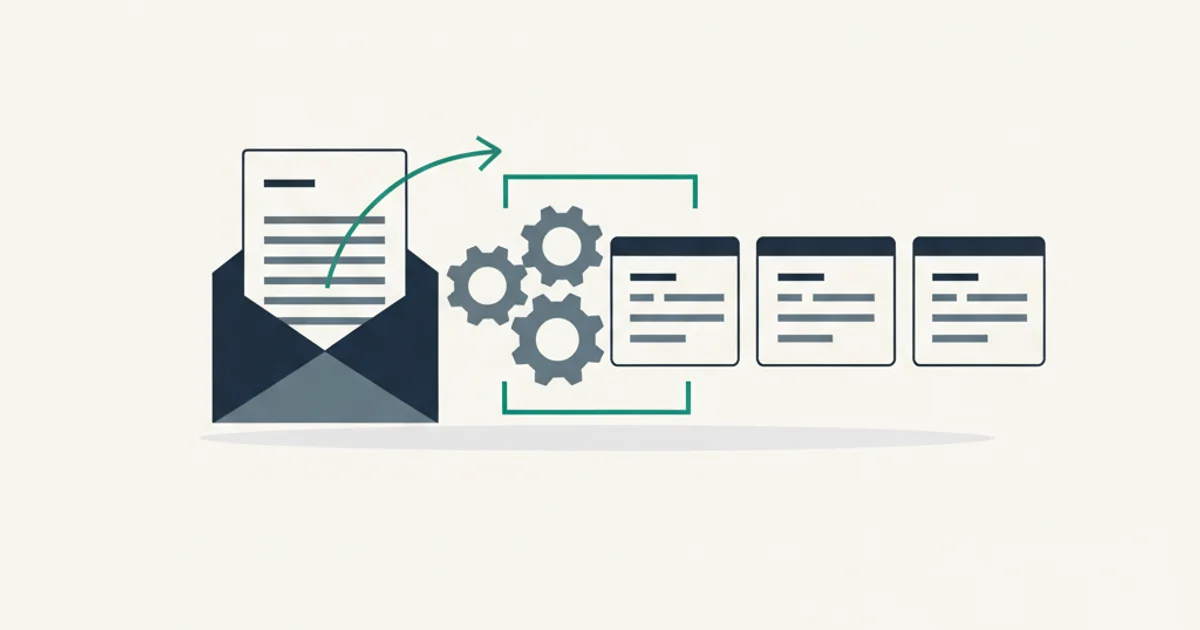
A bookkeeper onboards a new client. The client forwards a year of invoice PDFs and says "just OCR these and get the numbers." Ten minutes later, the first file goes through a free online OCR tool. The output is a wall of text: fields jumbled, the total sitting on a line of its own with no label, two line items merged because their table row had a shared cell. The tool did exactly what OCR is supposed to do. It read the text. It just did not tell anyone what any of that text meant.
This is where most conversations about email invoice OCR go wrong. OCR is a necessary ingredient, but it is not enough on its own to produce the structured invoice record an accountant or a bookkeeping API can use. The field has moved well past raw character recognition, and the tools that dominate invoice processing today look almost nothing like the ones considered state of the art in 2018.
This guide covers what email invoice OCR is actually doing under the hood, why three generations of technology exist, the failure modes that trip up naive OCR pipelines on real invoices, and how to evaluate the trade-offs when choosing between a generic OCR engine and a trained extraction model.
How OCR actually works
Optical Character Recognition starts from a simple premise. A scanned document or image-based PDF is just a grid of pixels. Software cannot search those pixels directly. OCR converts the pixel grid into characters that a computer can process.
The classical pipeline has four stages.
The first stage is image preprocessing. Before any recognition happens, the engine cleans up the image: adjusting contrast, removing noise, correcting skew if the page was scanned at an angle, and converting color scans to grayscale. Preprocessing quality has an outsized effect on everything downstream. A slightly skewed thermal receipt with faded print will produce far worse OCR output than a clean PDF even if both go through the same recognition engine.
The second stage is layout analysis. The engine segments the page into blocks: text regions, image regions, table regions. This step determines reading order. A two-column invoice layout that the engine misidentifies as one wide column will produce output that reads left-to-right across both columns rather than treating each column as a separate text block.
The third stage is character recognition. Each text region gets broken into lines, lines into words, words into individual characters. The engine matches each character against a trained model and outputs the most likely character with a confidence score.
The fourth stage is post-processing. Spell-checking, dictionary lookup, and language models clean up recognition errors. "lnvo1ce" becomes "Invoice" because the dictionary knows the word. In all-caps text, the engine must handle digit-letter ambiguity (0 versus O, 1 versus I) differently than mixed-case text.
The output is a string of text, usually with bounding box coordinates indicating where each word appeared on the page. Those coordinate values are critical for structured extraction, because position on an invoice page carries meaning.
Traditional OCR engines: Tesseract, ABBYY, Google Cloud Vision
Three engines come up most often in conversations about invoice OCR. Understanding what each one does (and does not do) helps set realistic expectations before you commit to a pipeline.
Tesseract is the open-source standard. Originally developed at HP in the 1980s and open-sourced by Google in 2006, Tesseract has been the workhorse of the OCR world for decades. The current version uses LSTM-based recognition and performs well on clean printed text in supported languages. The advantages are clear: free, runs locally, no per-page API cost, large community. The disadvantages are equally real: no built-in field extraction, limited layout analysis on complex documents, and accuracy that drops on low-quality scans. Tesseract gets you characters. What you do with them is your problem.
ABBYY FlexiCapture and FineReader are commercial products built specifically for document processing. ABBYY adds template-based field extraction on top of its OCR engine: you define a template for each document type, and the engine extracts the defined fields from each matched document. On known, stable layouts, ABBYY accuracy is high. The trade-off is that templates require manual setup per vendor, break when vendors change their layout, and the per-seat or per-page licensing adds up at scale.
Google Cloud Vision is a cloud API that sends your document to Google's servers and returns structured text with bounding boxes and confidence scores. The recognition quality is generally better than Tesseract on degraded images because Google's model trains on a much larger dataset. It handles multiple languages in the same document reasonably well. Costs are real but not prohibitive for moderate volumes. Like Tesseract, Cloud Vision returns text. Structured field extraction is still your responsibility.
All three engines share one fundamental limitation: they are character extractors, not document understanders. They output text. They do not know that a string of digits in the bottom-right of an invoice is the total, or that the name after "Bill To:" is the customer and not the vendor.
Why pure OCR struggles on invoices
The jump from extracted text to correct invoice fields is harder than it looks. Invoices combine several document features that create specific failure modes for character-based extraction.
Tables with merged cells are the most common problem. An invoice line-item table might have three rows for a single charge: the item description, a discount line that spans all columns, and a subtotal. A naive text extractor reading the cells in sequence produces a run-on string. The parser trying to reconstruct line items from that string has no way to know which numbers belong to which rows.
Multi-column layouts break reading order. An invoice with a header area on the left (vendor address, date, terms) and a summary box on the right (subtotal, tax, total) gets read as two interleaved columns if the OCR engine does not correctly identify the column boundaries. The output looks like address information and totals alternating on the same lines.
Number formatting varies by country. German invoices write 1.234,56 where US invoices write 1,234.56. Swiss invoices use an apostrophe as the thousands separator: 1'234.56. An extractor that assumes period-as-decimal and comma-as-thousands will misparse European invoices silently, producing totals that are wrong by a factor of 1,000 with no error signal.
Currency placement varies. Most English-language invoices put the currency symbol before the number. Many European invoices put it after. Some invoices use a currency code as a column header rather than a per-cell symbol. An extractor that expects a leading symbol fails on trailing-symbol layouts without warning.
Multi-page invoices have structural complexity. Page 1 contains the header, bill-to address, invoice number, and date. Pages 2 and 3 contain line items, sometimes with repeated column headers on each page. The summary appears on the last page. Assembling these into one coherent record requires understanding page sequence and which elements repeat versus which appear once.
For vendors that send invoices in PDF/A format (a strict archival standard), there is often a machine-readable XML layer embedded in the file containing all the structured fields directly. An extractor smart enough to read that layer first does not need OCR at all for those documents. Hybrid extractors that check for embedded data before falling back to image recognition perform significantly better on the growing share of invoices that include it.
Layout-aware models and what they add
The insight that pushed invoice extraction accuracy past the ceiling of pure OCR came from treating the problem as a two-dimensional understanding task rather than a text extraction task.
In 2020, Microsoft Research published LayoutLM, a model that learns to understand document structure by combining three inputs: the text tokens from OCR, the position of each token on the page as normalized x/y bounding box coordinates, and an image representation of the page segment around each token. The key intuition is that position on a page is a strong signal about meaning. A number in the bottom-right of an invoice is almost certainly the total. A number in the line-item area is probably a unit price or quantity.
The pre-trained LayoutLM family can be fine-tuned on labeled invoice datasets to perform named entity recognition at the field level: given a page, label each token as VENDOR, INVOICE_NUMBER, DATE, LINE_ITEM_AMOUNT, TAX, TOTAL, or OTHER. With sufficient fine-tuning data, these models achieve field-level accuracy in the high-90s on typical invoice layouts, compared to the low-to-mid 70s for regex-based parsers working on raw OCR output.
The practical consequence: a layout-aware model correctly handles two-column layouts, table grids, and multi-page documents that break character-only extractors. It also generalizes to unseen vendor layouts as long as the layout follows patterns represented in training data. The failure cases are genuinely unusual layouts, very low-quality scans where the underlying OCR is poor, and heavily handwritten documents.
One important limitation: layout-aware models of the LayoutLM type still depend on a separate OCR engine for the initial text extraction. They are not end-to-end vision models. If the OCR step makes errors, those errors propagate into the field extraction. Better input quality still matters.
Generative multimodal extraction: current state of the art
The most capable invoice extraction pipelines in production today use AI-powered multimodal models that receive the document as an image (or sequence of images for multi-page PDFs) and produce structured output directly, bypassing the intermediate OCR text layer.
The approach works as follows. The invoice PDF is rendered page by page into high-resolution images. Each image is passed to an AI-powered multimodal model alongside a structured output schema that defines the fields to extract: vendor name, invoice number, issue date, due date, currency, line items (description, quantity, unit price, amount), subtotal, tax rate, tax amount, and total. The model returns a JSON object conforming to that schema.
The advantage over the OCR-plus-parser pipeline is significant. The model sees the document the way a human does: as a two-dimensional image with visual context, not as a tokenized text stream. It handles merged table cells because it sees the visual boundary, not just the cell text. It reads multi-language documents without per-language configuration because its training covers a broad range of languages and number formats. And it does not require a separate OCR pass at all for machine-generated PDFs.
The honest cost-quality math: multimodal AI extraction costs more per page than Tesseract, which is free to run. For a business processing 500 invoices a month, the difference is rarely meaningful relative to the labor cost of manual correction. For a high-volume processor handling 100,000 invoices a month, the per-page cost difference matters, and a hybrid approach (use AI for ambiguous layouts, direct text extraction for known clean native PDFs) may be worth engineering.
Accuracy claims from vendors using generative multimodal models are hard to verify without testing on your specific document set. A model that reports 99 percent accuracy on its benchmark dataset may underperform on your invoices if your vendor mix is not well represented in that benchmark. Testing on your own data is the only reliable signal.
Our AI processing feature uses this multimodal approach with Structured Outputs, a mechanism that constrains the model to return valid JSON matching a pre-defined schema, which eliminates the malformed-JSON failure mode that plagued early AI extraction implementations.
Start for free and extract your first 10 invoices without a credit card.
When classic OCR is still the right call
AI-powered extraction is not always the right answer. Three situations where classic OCR or template-based extraction makes more sense.
High volume, narrow vendor set. If you process 10,000 invoices a month but they come from six vendors whose layouts are stable, an ABBYY template or a Tesseract pipeline with custom parsing logic can match AI accuracy on those layouts at a fraction of the per-page cost. The economics shift when you add vendor number 7 and have to build a new template, but for a genuinely narrow and stable vendor set, templates win on cost.
Data residency requirements. Some regulated industries have requirements about where documents can be processed. If your invoices cannot leave a specific cloud region or must be processed on-premises, a self-hosted Tesseract instance is the compliant option. Multimodal AI APIs are cloud-based, and the document leaves your infrastructure when you use them. Verify the data processing location against your compliance requirements before choosing a cloud-based service.
Simple typed forms. A PDF that is a typed form with labeled boxes and consistent fonts is not a difficult OCR target. A well-tuned Tesseract pipeline with modest post-processing extracts fields reliably and fast. Paying AI pricing for straightforward typed forms is waste.
For most businesses receiving invoices from a broad mix of vendors, operating internationally, or dealing with scanned or forwarded documents of variable quality, the accuracy benefit of AI-powered extraction justifies the cost.
Vendors that have billing APIs are a special case. Businesses receiving invoices from Stripe or Shopify can pull structured billing data directly via those APIs, which skips OCR entirely for those sources. When a direct API exists, use it. OCR is a fallback for documents where no structured source is available.
How to evaluate OCR quality on your own invoices
Do not trust vendor accuracy claims in isolation. Test on your own data. Here is a repeatable process.
Step one: assemble a representative sample. Pull 50 to 100 invoices that reflect your real vendor mix and document quality range. Include the edge cases you actually see: faded scans, non-English invoices, credit notes, multi-page documents. A sample drawn only from clean English-language PDFs produces accuracy numbers that look good but do not predict real-world performance.
Step two: hand-label the fields you care about. For each sample invoice, manually record the correct value for each field your workflow depends on. Common fields are vendor name (normalized, not raw string), invoice number, invoice date, due date, currency, line item descriptions and amounts, subtotal, tax amount, and total. Store these in a spreadsheet as your ground truth.
Step three: run the extractor on the same sample. Use the tool's own API or UI. Record what it returns for each field on each invoice.
Step four: score by field. For each field, calculate field accuracy: the number of invoices where the extracted value matches the ground truth divided by total invoices. A match should be exact for numbers (with tolerance for rounding conventions) and normalized for text (case-insensitive, whitespace-trimmed). Report accuracy per field, not as an aggregate. A tool that gets vendor names right 99 percent of the time but tax amounts right 65 percent of the time has a known weakness, and knowing which field has the weakness tells you whether it matters for your workflow.
Step five: categorize failures. For every field where the tool failed, note why. Was the source document a poor-quality scan? Was the layout unusual? Was it a language the tool did not handle well? Categorized failure analysis tells you whether failures are random (suggesting model error) or systematic (suggesting a gap you can address by preprocessing or configuration).
Step six: repeat on a second tool before committing. Benchmark comparisons between tools on your own data are the only reliable differentiator. Most vendors offer a trial or a sample extraction API. Use it before signing.
For compliance context: IRS Publication 583 (https://www.irs.gov/publications/p583) covers US rules on electronic records, including what qualifies as an adequate record and how long different document types must be retained. Most tax authorities worldwide have analogous requirements, and an extraction pipeline that does not preserve the original PDF alongside structured output typically fails to satisfy them.
The Gmail invoice extraction guide covers the ingestion side of the pipeline in detail: how invoices arrive by email, which vendors attach PDFs versus link to portals, and how to set up a continuous extraction workflow. Understanding both sides, ingestion and extraction accuracy, gives you the full picture of where errors enter the system and where to focus evaluation effort.
For teams comparing multiple tools, our extraction tools and alternatives hub covers the trade-offs across open-source, cloud API, and AI-powered categories side by side.