What Is OCR Technology?
OCR converts scanned images and PDFs into machine-readable text. This guide explains how it works, where it succeeds, where it fails, and what modern AI-powered extraction adds on top.

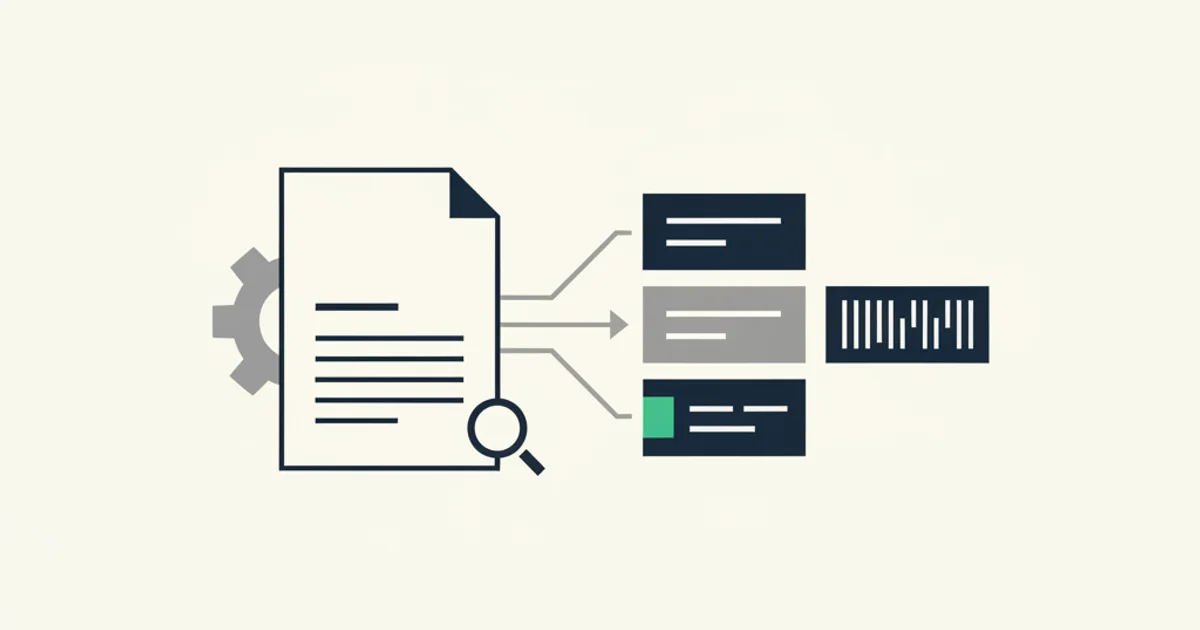
Most people encounter OCR as a black box. You drag a PDF in, text comes out. The word "OCR" appears somewhere in the interface, and that is the extent of the explanation. When the output is wrong, there is no signal about why, no indication of which step failed, no guidance on what to do differently next time.
This guide opens the box. It covers what OCR actually is, where the technology came from, what happens at each stage of processing, where classic OCR reliably works and where it consistently breaks, and what changed when neural-era models arrived. If you process documents, invoices, receipts, or forms in any volume, understanding OCR at this level changes how you evaluate tools and how you design pipelines that hold up when document quality varies.
What OCR actually means
Optical Character Recognition is the conversion of images containing text into machine-readable characters. That definition sounds simple, and the core problem statement is genuinely straightforward: a photograph of a document is, from a computer's perspective, just a grid of pixels. Pixels have no inherent meaning. OCR assigns meaning by mapping pixel patterns to characters.
The term "optical" refers to the image input. The term "character recognition" refers to the output: discrete letters, digits, and punctuation that software can store, index, search, and process. The combination is what makes scanned documents searchable, PDFs that were image-only suddenly copyable, and paper records convertible into structured data.
Where the definition gets complicated is at the boundary between character recognition and field extraction. OCR converts "Invoice Total $1,234.56" from pixels to text. It does not know that "$1,234.56" is the total, that the document is an invoice, or that this number belongs in a specific field in your accounting system. Getting from recognized characters to structured data is a separate problem, and conflating the two is the source of most disappointment with "OCR tools" that do character recognition but leave all the parsing work to you.
A brief history: from photocells to neural networks
The idea of machine reading predates computers. In 1914, Emanuel Goldberg demonstrated a machine that could read printed characters and convert them to telegraph signals. By the 1950s, early commercial systems were reading account numbers on bank checks using magnetic ink. These were not general-purpose character recognizers; they read a specific font designed for the machine, not for humans.
The shift toward general-purpose OCR happened in the 1970s and 1980s. Ray Kurzweil built one of the first systems capable of reading text set in multiple fonts, which he demonstrated by reading books aloud for blind readers. This work established that OCR could be practical without requiring a purpose-built font. The technology remained expensive and slow enough that it was primarily used in large publishing and banking operations.
In the 1990s, commercial OCR software reached desktop computers. Products like OmniPage and the early versions of ABBYY FineReader made OCR available to businesses and individuals. Accuracy on clean laser-printed text became high enough for production use, though handwriting and degraded documents remained difficult. The dominant approach was template matching and feature-based recognition, where each character was compared against a library of reference shapes.
The open-source movement changed access. When HP developed Tesseract internally in the 1980s and Google open-sourced it in 2006, a production-quality OCR engine became freely available to anyone. Tesseract remains the foundation of many OCR pipelines today, with neural-network-based recognition added in version 4.0 (released 2018).
The neural era began in earnest with the widespread adoption of convolutional neural networks for image recognition around 2012. Instead of hand-crafted feature detectors, neural networks learned character representations directly from training data. Recognition accuracy on printed text improved substantially, and the gap between easy documents (clean print, good lighting) and hard documents (faded print, skewed scan) narrowed. Crucially, neural-network-based OCR generalized better to unseen fonts and layouts than template-matching approaches.
The current frontier is multimodal models that receive the entire document as an image and produce structured output directly, bypassing the intermediate text layer. The distinction matters for documents like invoices, where the spatial relationship between text elements carries as much meaning as the characters themselves.
How OCR works step by step
A modern OCR pipeline has four stages. Each stage has failure modes, and understanding them helps diagnose why output goes wrong on specific documents.
Stage 1: Preprocessing
Before any recognition happens, the image is cleaned up. Preprocessing corrects problems that would degrade recognition accuracy downstream.
Skew correction detects and compensates for pages that were scanned at an angle. Even a two-degree tilt can cause text lines to drift across the recognition grid, breaking line detection. Deskewing algorithms estimate the dominant text angle and rotate the image to horizontal.
Noise removal filters out random pixel variation from scanner sensors, paper texture, and image compression. Salt-and-pepper noise (random black and white pixels) confuses character segmentation. Filters that blur noise while preserving sharp character edges improve input quality.
Contrast adjustment makes light text on light backgrounds or dark text on dark backgrounds legible. Binarization converts the image to pure black and white, which most recognition engines process more reliably than grayscale. The binarization threshold matters: too aggressive and thin character strokes disappear; too lenient and backgrounds become noise.
Preprocessing quality has a compounding effect. A skewed image that also has noise and poor contrast accumulates errors at each subsequent stage. A clean, straight, high-contrast image at this point makes everything downstream easier.
Stage 2: Layout analysis and segmentation
The engine next identifies the structure of the page: where text appears, where images appear, and how different text regions relate to each other.
Page segmentation identifies distinct text blocks, columns, tables, and non-text regions. This is harder than it sounds on documents with complex layouts. A two-column invoice header next to a summary box requires the engine to correctly identify two separate text regions that happen to be vertically adjacent. A table of line items requires identifying rows and columns, not just text.
Reading order determination decides in what sequence text blocks should be processed. For a left-to-right, top-to-bottom language, reading order is usually deterministic once layout is identified. For documents with mixed horizontal and vertical text, or for layouts where the logical reading order differs from the visual top-to-bottom order, reading order requires explicit inference.
Line and word segmentation breaks each text region into lines, lines into words, and words into individual character candidates. The spacing between characters on a page varies with font, size, and kerning. Segmentation errors at this stage (splitting one character into two, or merging two characters into one) cascade into recognition errors that post-processing cannot easily recover.
Stage 3: Character recognition
Each character candidate goes through a trained recognition model that outputs the most likely character and a confidence score.
Classical approaches used feature extraction (stroke endpoints, loops, line intersections) combined with classifiers. Neural approaches use convolutional networks that learn to recognize character shapes from labeled training data. Modern engines like the LSTM-based Tesseract 4 process character sequences, not isolated characters, which allows the model to use context from adjacent characters to resolve ambiguous glyphs.
Common recognition failures cluster around specific glyph pairs: 0 versus O, 1 versus I versus l, rn versus m, c versus e in small sizes. The engine's confidence score on these ambiguous characters is a useful signal: low confidence on a character that happens to be a digit in a financial figure is worth flagging for review.
Language model integration provides a further check. If the recognition engine produces a low-probability character sequence, a language model can substitute a higher-probability real word. This works well for prose but poorly for specialized content: invoice numbers, product codes, and vendor identifiers are not in any dictionary, so language model correction can change a correct but unusual string into an incorrect common word.
Stage 4: Post-processing
Post-processing takes the recognized character stream and applies additional logic to improve quality and structure.
Dictionary lookup corrects character-level errors in ordinary words. "lnvo1ce" maps to "Invoice" because the dictionary knows that word and the substitution improves string probability. Dictionary lookup helps for word-heavy documents and hurts for alphanumeric codes where dictionary words are not expected.
Structural parsing extracts meaning from the character stream. For invoices, this is where vendor name, invoice number, date, line items, and totals are identified. This stage is where most of the interesting engineering for financial document processing lives, and it is the stage that pure OCR engines do not include. Getting this step right on documents with varied layouts and number formats requires either template configuration per vendor or a model trained on the semantic structure of invoices.
Output encoding converts the final text into a storage format: UTF-8 strings, a searchable index, a structured JSON object, or a database record, depending on the downstream use.
Where classic OCR shines and where it fails
Classic OCR, meaning a Tesseract or similar engine with regex-based parsing on top, performs well in predictable conditions.
Clean printed text, consistent fonts, a small set of known layouts, good scan quality, English language: in these conditions, character accuracy exceeds 99 percent and field extraction works reliably. A company processing invoices from one or two stable vendors on good-quality PDFs can run a well-tuned Tesseract pipeline and get results comparable to more expensive tools.
The failure modes appear as conditions diverge from that baseline.
Number formatting variation is the quietest failure. German invoices write 1.234,56 where US invoices write 1,234.56. A parser that assumes period-as-decimal-separator silently reads a 1,234.56 European number as 1.23456, off by three orders of magnitude, with no error signal. Most classic OCR pipelines handle the language of the source text reasonably well; they handle the number formatting conventions of the country poorly.
Table structure breaks reading order. An invoice line-item table with merged cells, variable column widths, or subtotals that span multiple columns produces character output that is locally correct but globally unusable. The characters are right; their sequence makes no sense as structured data.
Google Cloud Vision handles degraded images better than a local Tesseract instance because it trains on a much larger and more varied dataset, but it still returns text, not structured fields. The layout analysis problem persists regardless of which recognition engine you use.
Multi-page documents require assembly logic that classic OCR engines do not provide. An invoice where the header is on page 1, line items span pages 2 and 3, and the total is on page 4 needs a system that understands page sequence and which elements repeat (column headers on each page) versus which appear once (invoice number on the first page).
Modern OCR: layout-aware models and multimodal extraction
The approach that improved invoice extraction accuracy most significantly was treating document understanding as a two-dimensional problem rather than a text-in-sequence problem.
Layout-aware models combine text tokens with their spatial position on the page. The model learns that a number in the bottom-right quadrant of an invoice is likely the total, that text in a box labeled "Ship To" is a delivery address, and that text in a repeating row within a table structure is a line item. Position provides signal that the character stream alone cannot.
Microsoft Research published the LayoutLM family of models starting in 2020. Fine-tuned on labeled invoice datasets, these models perform named entity recognition at the field level, labeling each token as VENDOR, INVOICE_NUMBER, DATE, LINE_ITEM, TAX, TOTAL, or similar. Field accuracy on typical invoice layouts improved from the low-70s to the mid-90s percent range compared to regex-based parsers working on raw OCR output.
The current state of the art, used in tools like our AI processing pipeline, skips the intermediate text layer entirely for supported document types. The invoice PDF is rendered as a high-resolution image. A multimodal model receives the image and a structured output schema, and returns a JSON object with fields populated directly. The model sees the document as a human would, as a two-dimensional visual object with spatial relationships, rather than as a flattened text stream.
The honest trade-off: multimodal extraction costs more per page than running Tesseract locally, which is free. For most businesses processing a few hundred to a few thousand invoices a month, the per-page cost difference is smaller than the labor cost of correcting extraction errors from a less accurate tool. The economics reverse for very high-volume processors where per-page cost accumulates to a material number.
Real-world applications
OCR is the foundational layer under a wide range of document processing workflows.
Invoice and receipt processing is the most common financial use case. Every vendor billing a business by PDF is creating a document that needs character recognition before any data can flow into an accounting system. Our tools for Stripe invoice capture and Amazon Business invoice download both rely on this pipeline for documents that do not expose structured API data.
Identity document verification uses OCR to read passports, driver's licenses, and national ID cards. The challenge here is format variation across issuing countries combined with security features (holograms, UV-reactive ink) that can confuse standard scanners. Purpose-built ID OCR models train specifically on international document formats.
Form processing covers tax forms, insurance claims, loan applications, and any other structured paper form that needs to move into a digital workflow. For forms with consistent field positions (a standard tax form, for example), template-based extraction works well. For form types with layout variation across issuers, layout-aware models perform better.
Handwriting recognition in business contexts typically involves notes added to printed forms, signatures, and handwritten labels on physical documents. Modern multimodal models handle handwritten annotations on printed documents better than classical OCR, though fully handwritten pages remain significantly harder than typed content.
Historical archive digitization converts physical records into searchable databases. The challenge is that older documents use typefaces and printing techniques that produce different pixel patterns than modern printing. Purpose-built models trained on period-specific typography handle these better than general-purpose engines.
Medical and legal document processing represents a growing use case where accuracy requirements are strict and failure has real consequences. A misread medication dosage on a scanned prescription or a wrong date on a court filing creates downstream problems that are expensive to correct. These contexts often use confidence thresholds to route low-confidence pages to a human review queue rather than passing uncertain output directly into a system of record.
Purchase order and goods-receipt matching in supply chain workflows pairs OCR output with structured purchase order data to detect discrepancies before payment is approved. A line item where the received quantity does not match the invoiced quantity, or a unit price that differs from the agreed rate, can be caught automatically if the OCR step extracts field-level data accurately enough to compare against the purchase order. This is one of the few contexts where line-item extraction accuracy matters as much as header-field accuracy.
IRS Publication 583 (https://www.irs.gov/publications/p583) covers US rules on electronic records, including the requirement that electronic records accurately reproduce the original document. For financial records specifically, an OCR pipeline that extracts structured data must also preserve the original document image. Extracted fields alone do not satisfy the requirement for an original record.
How to evaluate OCR quality on your own documents
Vendor accuracy claims are benchmarked on datasets that may not resemble your actual document mix. The only signal that matters is performance on your documents.
Assemble a representative sample. Pull 50 to 100 documents that cover your real vendor mix, language range, and quality variation. Include the edge cases you actually encounter: faded thermal receipts, scanned paper invoices, multi-page statements, non-English layouts. A sample drawn only from clean English PDFs produces numbers that look good and predict nothing useful about real-world performance.
Hand-label the fields you depend on. For each sample document, record the correct value for each field your workflow uses: vendor name, invoice number, date, total, tax amount, currency. These become your ground truth. Invest the time here; a sloppy ground truth produces misleading accuracy numbers.
Run the tool and score by field. For each field, calculate field accuracy as the fraction of documents where the extracted value matches ground truth. Report accuracy per field, not as a single aggregate. A tool that extracts vendor names correctly 97 percent of the time but tax amounts correctly 68 percent of the time has a known weakness. Whether that matters depends on your workflow, not on the aggregate number.
Categorize failures by type. For every field that the tool got wrong, record why: poor scan quality, unusual layout, unfamiliar language, number format mismatch, multi-page assembly error. Categorized failure analysis separates random errors (which suggest a model problem) from systematic errors (which suggest a gap you might address through preprocessing or configuration).
Test at least two tools before committing. Most vendors offer a trial or API access for evaluation. Run both on your sample before signing a contract. Two tools with similar stated accuracy claims often diverge significantly on your specific documents.
Repeat evaluation after three to six months of production use. Document mixes change as you add vendors. A vendor that updates their invoice template can break a rule-based extraction that worked for two years. Ongoing monitoring with a held-out labeled set catches regressions before they accumulate in your records undetected.
For teams comparing tools in this space, our extraction tools and alternatives hub covers trade-offs across open-source engines, cloud APIs, and AI-powered extraction services side by side. And for the specific case of invoices arriving by email, the email invoice OCR deep-dive covers the ingestion pipeline, extraction challenges by invoice type, and where field accuracy tends to drop on real-world email invoice mixes.
Start for free and extract your first 10 invoices without a credit card.